Category: Blog

Your blog category

  • How to Reduce Customer Acquisition Cost (CAC) for D2C Brands in 2026

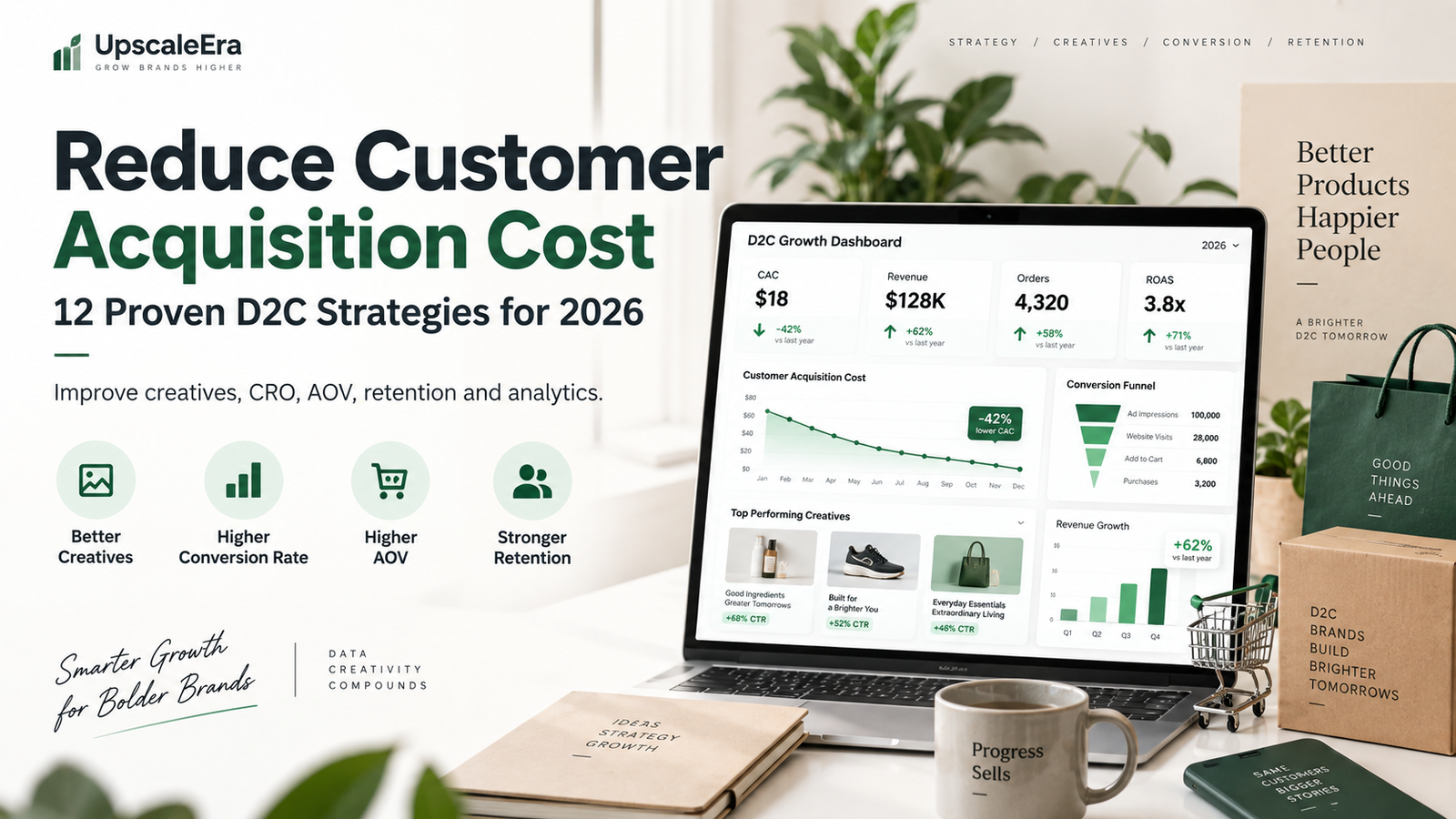
    How to Reduce Customer Acquisition Cost (CAC) for D2C Brands in 2026

    Growing a D2C brand becomes difficult when acquiring every new customer gets more expensive.

    You may increase your Meta Ads budget, launch Google Ads, work with influencers and create more content—but if the cost of acquiring a customer continues rising, revenue growth does not automatically translate into profitable growth.

    That is why learning how to reduce customer acquisition cost should be a priority for D2C brands in 2026.

    Customer acquisition cost, commonly called CAC, tells you how much your business spends to acquire a new customer.

    But reducing CAC is not simply about finding cheaper clicks.

    It requires improving the entire customer journey:

    Creative → Advertising → Landing Page → Product Page → Checkout → Purchase → Retention

    A D2C business that improves each stage can generate more customers from the same marketing budget.

    This guide explains how D2C brands can reduce customer acquisition cost without sacrificing customer quality or long-term growth.

    D2C brands looking to reduce customer acquisition cost should improve both advertising efficiency and website conversion.


    What Is Customer Acquisition Cost?

    Customer Acquisition Cost is the total amount a business spends to acquire one new customer.

    The basic formula is:

    CAC = Total Sales and Marketing Costs ÷ Number of New Customers Acquired

    Shopify’s 2026 ecommerce acquisition guide defines CAC similarly and recommends including more than just ad spend when calculating the metric. Costs can include advertising, creative production, agencies, creators, software, and relevant internal marketing resources.

    Example

    Suppose a D2C brand spends:

    Meta Ads: ₹2,00,000
    Google Ads: ₹70,000
    Creative production: ₹30,000
    Agency fees: ₹50,000

    Total acquisition spend = ₹3,50,000

    If the company acquires 1,000 new customers:

    CAC = ₹3,50,000 ÷ 1,000

    CAC = ₹350

    The company therefore spends approximately ₹350 to acquire each new customer.

    One practical way to reduce customer acquisition cost is to test more creative angles instead of relying on a single ad format.


    Why CAC Matters for D2C Brands

    For a D2C business, customer acquisition directly affects profitability.

    Imagine selling a product for ₹1,000.

    If your CAC is ₹200, the business has more room to cover:

    • Product costs
    • Shipping
    • Packaging
    • Payment gateway charges
    • Discounts
    • Returns
    • Salaries
    • Operational expenses

    But if CAC increases to ₹700, the same product may become difficult to sell profitably.

    This is why D2C brands should not evaluate advertising based only on:

    • Clicks
    • Impressions
    • CPM
    • CPC
    • Leads
    • ROAS

    You also need to understand what it actually costs to acquire a new paying customer.

    Improving mobile UX can help brands reduce customer acquisition cost by converting more of the traffic they already pay for.


    CAC vs CPA: What’s the Difference?

    These two metrics are often confused.

    Customer Acquisition Cost — CAC

    CAC usually measures your complete cost of acquiring a new customer.

    It may include:

    • Advertising
    • Marketing team
    • Agency fees
    • Creatives
    • Marketing software
    • Influencer campaigns

    Cost Per Acquisition — CPA

    CPA is generally more campaign-specific.

    For example:

    Meta campaign spend ÷ Purchases generated

    Shopify distinguishes CPA as a more campaign-focused metric while CAC provides a broader picture of overall customer acquisition expenses.

    For D2C profitability, both are useful.

    Brands can also reduce customer acquisition cost by increasing repeat purchases and improving customer lifetime value.


    What Is a Good CAC for a D2C Brand?

    There is no universal ideal CAC.

    A ₹500 CAC could be excellent for one brand and unsustainable for another.

    It depends on:

    • Product price
    • Gross margin
    • Average order value
    • Repeat purchase rate
    • Shipping expenses
    • Return rate
    • Customer lifetime value
    • Operating costs

    Instead of asking:

    “Is ₹500 CAC good?”

    ask:

    “Can we profitably acquire customers at ₹500?”


    CAC and Customer Lifetime Value

    CAC becomes much more meaningful when compared with Customer Lifetime Value.

    LTV represents the value a customer generates during their relationship with your brand.

    For example:

    CAC = ₹500
    Customer lifetime value = ₹2,000

    This gives an:

    LTV:CAC ratio = 4:1

    Shopify’s 2026 guidance notes that around 3:1 is commonly considered a healthy benchmark, although appropriate ratios depend on the economics and growth stage of the business.

    A brand with strong repeat purchases may be able to accept a higher first-order CAC than a business selling products customers rarely buy again.


    12 Ways to Reduce Customer Acquisition Cost for D2C Brands

    1. Improve Your Advertising Creative

    One of the fastest ways to reduce customer acquisition cost is to improve the creative customers see before clicking.

    A strong retention strategy can help reduce customer acquisition cost at a blended business level.

    Advertising platforms need good creative.

    You can have:

    • Excellent targeting
    • Large budgets
    • Strong campaign structure

    but weak creatives can still produce poor results.

    D2C brands should continuously test:

    • UGC videos
    • Product demonstrations
    • Founder videos
    • Testimonials
    • Static creatives
    • Before-and-after formats
    • Problem-solution ads
    • Product comparison ads
    • Lifestyle videos
    • Offer-focused creatives

    The goal is not simply to make an advertisement look attractive.

    The creative should communicate:

    Problem → Solution → Product benefit → Proof → CTA


    2. Test More Creative Hooks

    Sometimes the product is not the problem.

    The opening message is.

    Consider an ad for travel luggage.

    Hook A

    “Premium luggage available now.”

    Hook B

    “Still struggling with heavy luggage at the airport?”

    Both sell the same product.

    But Hook B starts from a customer problem.

    Other hooks worth testing include:

    Problem Hook

    “Tired of paying for products that don’t last?”

    Curiosity Hook

    “I didn’t expect this feature to be this useful.”

    Benefit Hook

    “This makes packing for a 5-day trip much easier.”

    Social Proof Hook

    “Here’s why thousands of travellers are switching.”

    Testing hooks can help brands find messaging that attracts more qualified customers.


    3. Use UGC in Your Advertising Strategy

    User-generated content can make advertising feel more relatable.

    Instead of only showing polished studio footage, UGC can demonstrate:

    • How customers use the product
    • What the product looks like in real life
    • Common customer problems
    • Product benefits
    • Testimonials
    • Real-world situations

    For brands trying to reduce customer acquisition cost, UGC can also provide more creative variations for testing.

    Meta recommends testing Reels creative and reports performance benefits from native vertical video in its own advertising studies. In Meta’s cited tests, Reels ads built as 9:16 video with audio and key elements inside safe zones produced lower cost per result than image ads in the tested campaigns.

    That doesn’t mean every UGC or Reel will outperform static advertising, but it supports testing platform-native creative rather than relying on one format.


    4. Improve Your Website Conversion Rate

    Imagine two brands receiving 10,000 visitors.

    Brand A

    Conversion rate: 1%

    Customers: 100

    Brand B

    Conversion rate: 2%

    Customers: 200

    Both generated exactly the same traffic.

    But Brand B generated twice as many customers.

    This is why Conversion Rate Optimization can significantly reduce customer acquisition cost.

    Instead of constantly trying to buy cheaper traffic, convert more of the traffic you already have.


    Improve Your Product Pages

    For D2C brands, product pages are often where purchase decisions happen.

    A strong page should answer:

    What is the product?

    Make the product immediately understandable.

    What problem does it solve?

    Communicate benefits, not just specifications.

    Why should I trust it?

    Show:

    • Reviews
    • Ratings
    • Testimonials
    • Customer photos
    • Demonstrations

    Why should I buy from this brand?

    Communicate your differentiation.

    What happens after I purchase?

    Clearly explain:

    • Delivery
    • Returns
    • Warranty
    • Payment options

    Reducing customer uncertainty can improve conversion rates.


    5. Improve Mobile Shopping Experience

    Most D2C advertising traffic is highly mobile-centric, particularly from social platforms.

    Your website should therefore be easy to use on a smartphone.

    Check:

    • Page speed
    • Text size
    • Product images
    • Buttons
    • Navigation
    • Sticky Add to Cart
    • Variant selection
    • Checkout
    • Popups

    A website designed beautifully for desktop but poorly optimized for smartphones can waste advertising spend.

    Improving mobile usability gives brands another way to reduce customer acquisition cost without changing campaign targeting.


    6. Improve Your Offer

    Sometimes campaigns fail because the offer is not compelling enough.

    Your product might be good.

    Your advertisements might be good.

    Your website might be good.

    But customers still need a strong reason to purchase.

    An offer doesn’t always mean a huge discount.

    You can test:

    • Free shipping
    • Product bundles
    • Buy 2, save more
    • Complimentary product
    • First-order incentive
    • Limited-edition bundle
    • Trial packs
    • Quantity offers
    • Subscription savings

    Ask:

    “Why should someone buy this product now instead of waiting?”

    A stronger offer can increase conversion rate and lower effective CAC.


    7. Increase Average Order Value

    Reducing CAC is valuable.

    But sometimes improving AOV produces an equally important business outcome.

    Suppose:

    CAC = ₹500
    AOV = ₹800

    Now suppose CAC remains ₹500 but AOV increases to ₹1,300.

    The acquisition economics may become much healthier.

    You can increase AOV through:

    • Product bundles
    • Cross-sells
    • Upsells
    • Quantity discounts
    • Add-ons
    • Free-shipping thresholds
    • Complementary products

    For example:

    Instead of:

    Buy 1 product – ₹799

    offer:

    Buy 2 – ₹1,399

    If customers perceive greater value, AOV can increase while the acquisition cost remains similar.


    8. Focus on Higher-Quality Customers

    The cheapest customer is not always the best customer.

    Imagine:

    Customer Group A

    CAC = ₹300
    Average lifetime spend = ₹700

    Customer Group B

    CAC = ₹450
    Average lifetime spend = ₹2,500

    Group A looks better if you only measure CAC.

    Group B may be much more valuable to the business.

    Shopify’s 2026 acquisition guidance similarly recommends evaluating channels based on customer quality, including LTV, payback period and repeat-purchase behavior—not only the cheapest acquisition cost.

    This is why D2C brands should consider:

    CAC + AOV + LTV + Repeat Purchase Rate + Margin

    together.


    9. Build Retargeting Campaigns

    Not everyone purchases during the first website visit.

    Someone may:

    Visit your website.

    View the product.

    Compare alternatives.

    Read reviews.

    Leave.

    Return three days later.

    Then purchase.

    Retargeting allows brands to communicate again with high-intent audiences such as:

    • Website visitors
    • Product viewers
    • Cart users
    • Checkout users
    • Instagram engagers
    • Video viewers

    Retargeting content can focus on:

    • Product benefits
    • Customer reviews
    • FAQs
    • Objections
    • Offers
    • Demonstrations

    The aim is not to follow customers indefinitely.

    It is to help interested prospects complete their decision.


    10. Reduce Checkout Friction

    Every unnecessary checkout step creates another opportunity for abandonment.

    Common problems include:

    • Unexpected shipping charges
    • Limited payment methods
    • Complicated forms
    • Forced account creation
    • Slow-loading pages
    • Confusing discount fields
    • Poor mobile layout
    • Unclear return policies

    If advertising generates qualified traffic but customers leave during checkout, simply increasing the ad budget will not solve the problem.

    Shopify specifically identifies checkout and mobile experience as areas brands can optimize when trying to lower ecommerce acquisition cost.


    11. Build Organic Acquisition Channels

    Paid media is powerful, but relying exclusively on paid advertising can make growth expensive.

    Brands should also develop acquisition channels such as:

    • SEO
    • Blog content
    • Organic social media
    • YouTube
    • Influencer marketing
    • Referral programs
    • Partnerships
    • Email list building

    SEO is particularly valuable because useful content can continue attracting search traffic after publication.

    For example, a luggage company could create articles around:

    • Best cabin luggage
    • Cabin baggage size guide
    • How to pack efficiently
    • Hard shell vs soft shell luggage
    • Best suitcase for international travel

    These articles bring relevant prospects into the brand ecosystem.

    When organic and paid channels work together, blended CAC can improve over time.


    12. Improve Customer Retention

    One of the strongest ways to improve overall acquisition economics is to make existing customers more valuable.

    Retention strategies include:

    • Email automation
    • WhatsApp marketing
    • Loyalty programs
    • Repeat purchase campaigns
    • Product recommendations
    • Subscription models
    • Referral programs
    • Customer communities

    Shopify’s 2026 CAC payback guidance highlights retention and increasing customer value as key ways to recover acquisition investment faster.

    This is particularly important for:

    • Skincare
    • Food
    • Supplements
    • Personal care
    • Pet products
    • Beauty
    • Consumables

    where customers may purchase frequently.


    Measure CAC by Channel

    Do not look only at one blended number.

    Break CAC down by:

    Meta Ads CAC

    Meta spend ÷ new customers acquired

    Google Ads CAC

    Google Ads spend ÷ new customers acquired

    Influencer CAC

    Creator campaign spend ÷ new customers

    SEO CAC

    SEO costs ÷ customers attributed to organic search

    Affiliate CAC

    Affiliate cost ÷ new customers

    Shopify notes that blended CAC can hide significant differences between acquisition channels, so channel-level analysis is useful when deciding where to invest.


    Measure CAC by Product

    Some products naturally acquire customers more efficiently.

    For example:

    ProductCACAOV
    Product A₹550₹900
    Product B₹450₹1,500
    Product C₹700₹2,500

    Product C has the highest CAC.

    But it may still produce better economics because of its higher order value and margin.

    Therefore, never optimize CAC without context.


    Measure CAC by Geography

    Your acquisition costs may differ by:

    • City
    • State
    • Country
    • Region

    A campaign targeting Mumbai may behave differently from one targeting Nashik, Pune, Bengaluru, or Delhi.

    Instead of treating the entire market as one audience, identify areas generating:

    High conversion + strong AOV + manageable CAC.

    Then allocate budget accordingly.


    Don’t Scale Based Only on ROAS

    Imagine:

    Campaign A

    Spend: ₹50,000
    Revenue: ₹2,50,000
    ROAS: 5X

    Campaign B

    Spend: ₹1,00,000
    Revenue: ₹4,00,000
    ROAS: 4X

    Campaign A has higher ROAS.

    But that does not automatically mean Campaign A should receive all future budget.

    You need to evaluate:

    • New customer CAC
    • Contribution margin
    • Volume
    • Customer quality
    • LTV
    • Incrementality
    • Repeat purchases

    D2C performance marketing should optimize profitability, not just platform-reported ROAS.


    Understand Break-Even CAC

    Every D2C brand should know approximately how much it can afford to spend to acquire a customer.

    Suppose:

    AOV = ₹2,000
    Product cost = ₹700
    Shipping = ₹150
    Packaging = ₹100
    Payment fees = ₹50
    Other variable costs = ₹100

    Contribution before marketing:

    ₹2,000 − ₹1,100 = ₹900

    If you spend ₹900 acquiring that customer, your first purchase approximately breaks even before considering fixed operating expenses.

    This gives you a clearer acquisition boundary than simply saying:

    “We want CAC below ₹500.”

    Your target should come from your economics.


    Don’t Ignore CAC Payback Period

    CAC payback period measures how long it takes to recover the money spent acquiring a customer.

    For example:

    CAC = ₹600

    Customer generates ₹200 in gross profit each month.

    CAC payback period:

    ₹600 ÷ ₹200 = 3 months

    A shorter payback period allows the business to recover acquisition capital faster and potentially reinvest it sooner.

    This is especially important for brands scaling rapidly because cash flow can become a constraint even when long-term customer economics look strong.


    Track the Complete Funnel

    A business trying to reduce customer acquisition cost should not only monitor Ads Manager.

    Track the complete funnel:

    Impressions

    Clicks

    Landing Page Views

    Product Views

    Add to Cart

    Checkout

    Purchase

    Repeat Purchase

    This helps identify where money is being lost.


    Example: Diagnose a High CAC

    Imagine this funnel:

    100,000 ad impressions

    2,000 website visitors

    300 add-to-carts

    150 checkouts

    30 purchases

    If only 30 of 2,000 visitors purchase, the overall conversion rate is:

    1.5%

    Instead of immediately blaming Meta Ads, investigate:

    • Product page
    • Pricing
    • Shipping
    • Reviews
    • Checkout
    • Offer
    • Product-market fit

    Now imagine website CRO improves conversion to 2.5%.

    The same 2,000 visitors could generate:

    50 customers instead of 30.

    You acquired more customers without buying additional traffic.

    That naturally helps reduce customer acquisition cost.


    Use First-Party Customer Data

    Your existing customers can help you understand who your best future customers are.

    Analyze:

    • Purchase history
    • Location
    • Products purchased
    • AOV
    • Repeat purchases
    • Customer segments
    • Email engagement

    Shopify’s 2026 acquisition guide highlights first-party data as useful for personalization and customer acquisition because brands can work from purchase history, browsing behavior, and direct customer interactions.

    The goal is to find more customers who behave like your profitable existing customers—not simply more cheap conversions.


    Create a Continuous Testing System

    Brands often search for a single “winning campaign.”

    That approach is fragile.

    Advertising changes constantly.

    Instead, build a testing system.

    Test Creative

    UGC vs static vs demonstration.

    Test Hooks

    Problem vs benefit vs social proof.

    Test Offers

    Discount vs bundle vs free shipping.

    Test Landing Pages

    Standard product page vs campaign landing page.

    Test Audiences

    Broad vs interest vs retargeting.

    Test Products

    Hero product vs bundles.

    Test one meaningful variable at a time where possible so you can understand what caused the performance change.


    Common Mistakes That Increase CAC

    Scaling Too Quickly

    If campaigns are profitable at ₹2,000 per day, increasing them immediately to ₹20,000 per day doesn’t guarantee the same performance.

    Scaling changes delivery dynamics.

    Increase budgets carefully while monitoring profitability.


    Optimizing Only for Cheap Traffic

    Cheap clicks don’t necessarily create customers.

    A campaign generating:

    ₹3 CPC

    could perform worse than one producing:

    ₹15 CPC

    if the second campaign attracts much more qualified users.


    Running the Same Creative for Months

    Creative fatigue can increase costs over time.

    Maintain a creative pipeline.


    Sending All Traffic to Your Homepage

    Send customers to the most relevant page.

    For example:

    Running an ad for Product A?

    Send them to Product A.

    Not:

    yourstore.com

    unless the homepage genuinely provides the best journey.


    Ignoring Repeat Customers

    Acquisition economics become much healthier when customers purchase repeatedly.

    Don’t treat every order as an isolated transaction.


    A Practical CAC Optimization Framework for D2C Brands

    Use this simple process.

    Step 1 — Calculate True CAC

    Include all relevant acquisition costs.

    Step 2 — Understand Unit Economics

    Know:

    • Gross margin
    • Contribution margin
    • AOV
    • LTV
    • Break-even CAC

    Step 3 — Find Funnel Leaks

    Identify whether performance problems are happening at:

    • Ad level
    • Website
    • Product page
    • Cart
    • Checkout

    Step 4 — Improve Creative

    Test more:

    • Hooks
    • Formats
    • Creators
    • Messages

    Step 5 — Improve CRO

    Increase the percentage of visitors who purchase.

    Step 6 — Increase AOV

    Improve economics through bundles and upselling.

    Step 7 — Build Retention

    Increase customer lifetime value.

    Step 8 — Scale What Works

    Allocate more budget to channels, campaigns, products and audiences with stronger economics.


    Should You Always Try to Reduce CAC?

    Not necessarily.

    This is important.

    Suppose:

    Scenario A

    CAC = ₹300
    LTV = ₹700

    Scenario B

    CAC = ₹500
    LTV = ₹2,500

    Scenario B has a higher CAC.

    But it could be a much better business outcome.

    Therefore, the objective should not always be:

    “Get the lowest CAC possible.”

    It should be:

    “Acquire profitable, valuable customers efficiently.”

    Sometimes accepting a higher CAC can be reasonable if customer quality and lifetime value are significantly stronger.


    How UpscaleEra Helps D2C Brands Reduce CAC

    At UpscaleEra, we look at customer acquisition as a connected growth system rather than only an advertising problem.

    A high CAC can come from several places:

    Weak creative

    Poor advertising strategy

    Low-converting website

    Low AOV

    Weak retention

    Trying to fix only the Meta Ads campaign may not solve the real problem.

    Our D2C growth approach can connect:

    The objective is to improve the complete system so that marketing spend creates sustainable, profitable growth.


    Final Thoughts

    Learning how to reduce customer acquisition cost is not about finding a secret advertising setting.

    CAC is influenced by almost every part of the customer journey.

    Your:

    Product

    Offer

    Creative

    Advertising

    Website

    Checkout

    AOV

    Retention

    all influence acquisition economics.

    D2C brands that focus only on advertising costs may miss larger problems elsewhere in the funnel.

    Instead, measure the complete journey.

    Improve creative quality.

    Increase conversion rate.

    Strengthen the offer.

    Increase AOV.

    Retain more customers.

    And measure CAC alongside lifetime value and profitability.

    When these systems work together, brands can reduce customer acquisition cost while building a stronger foundation for sustainable growth.
  • UGC Marketing for Brands: Why User-Generated Content Drives More Sales

    UGC Marketing for Brands: Why User-Generated Content Drives More Sales

    Consumers today are surrounded by advertisements.

    Every time someone opens Instagram, Facebook, YouTube, or another social platform, they see brands competing for attention.

    Polished product photographs and professionally produced advertisements still have an important place in marketing. But customers increasingly want something else as well:

    Real people using real products in real situations.

    This is where UGC marketing for brands becomes powerful.

    User-generated content, commonly known as UGC, helps businesses show products through the experiences of customers, creators, and everyday users.

    Instead of a brand simply saying:

    “Our product is amazing.”

    UGC allows potential customers to see someone actually using it, explaining it, reviewing it, or sharing their experience.

    For ecommerce and D2C businesses, this can help build trust, strengthen advertising creatives, increase engagement, and support conversions.

    In this guide, we will explain how UGC works, why brands use it, and how you can build a strong UGC strategy.


    What Is UGC Marketing?

    UGC stands for User-Generated Content.

    It refers to content created by customers, users, fans, or creators that features or discusses a brand, product, or service.

    UGC can include:

    • Customer photos
    • Product videos
    • Testimonials
    • Unboxing videos
    • Reviews
    • Instagram Stories
    • Reels
    • Product demonstrations
    • Before-and-after content
    • Tutorials
    • Social media mentions
    • Customer experiences

    UGC marketing for brands is the process of strategically using this type of content across marketing channels.

    That could mean using UGC on:

    • Instagram
    • Facebook
    • Meta Ads
    • Product pages
    • Landing pages
    • Email campaigns
    • Websites
    • YouTube
    • Retargeting campaigns

    The goal is to make the brand feel more trustworthy, relatable, and customer-focused.


    Why Is UGC Marketing Important for Brands?

    Traditional advertising is usually controlled entirely by the brand.

    The business decides:

    • What the product looks like
    • What message is communicated
    • How the advertisement is filmed
    • Who appears in it
    • What claims are highlighted

    UGC changes the perspective.

    Instead of seeing only a company’s message, customers see the product from another person’s point of view.

    That can make the content feel more natural.

    A skincare company, for example, may create a studio advertisement showing the bottle.

    UGC could instead show a customer saying:

    “Here’s how I use this product in my morning routine.”

    Both types of content can be useful, but they achieve different things.

    Traditional creative gives the brand control.

    UGC adds relatability and social proof.


    1. UGC Builds Trust

    Trust is one of the biggest barriers in online shopping.

    Customers may wonder:

    • Does this product really work?
    • Is the quality good?
    • Will it look the same when delivered?
    • Is this company trustworthy?
    • Are these reviews genuine?
    • Is the product right for me?

    Good UGC marketing for brands helps answer these questions visually.

    When potential customers see other people using a product, the purchase feels less uncertain.

    For example, an ecommerce luggage brand can show professional studio photos of a suitcase.

    But UGC can show:

    • Someone packing the suitcase
    • A traveler using it at an airport
    • Wheel movement
    • Storage capacity
    • Compartments
    • Real-world product size

    That gives customers information that a polished product image may not communicate.


    2. UGC Acts as Social Proof

    People often look at other people’s experiences before making purchasing decisions.

    This is why:

    • Reviews
    • Ratings
    • Testimonials
    • Customer photos
    • Video reviews

    are important ecommerce assets.

    UGC works like visual social proof.

    Instead of simply reading:

    “Excellent product.”

    customers can see someone interacting with the product.

    This makes UGC marketing for brands particularly valuable for products where demonstration matters.

    Examples include:

    • Beauty products
    • Skincare
    • Fashion
    • Luggage
    • Home products
    • Food
    • Fitness products
    • Baby products
    • Electronics
    • Accessories

    3. UGC Makes Advertising Feel More Natural

    Some traditional advertisements immediately look like advertisements.

    Users may scroll past them without paying attention.

    UGC-style ads can feel closer to normal social content.

    A creator speaking directly to the camera might begin with:

    “I wasn’t expecting this to solve one of my biggest travel problems…”

    That style can create curiosity before the viewer even realizes they are watching branded content.

    UGC advertising frequently uses:

    • Talking-head videos
    • Product demonstrations
    • Personal stories
    • Unboxing
    • Problem-solution formats
    • Testimonials
    • Before-and-after formats
    • Voiceovers

    The key is making the content feel natural without misleading viewers about its commercial nature.


    4. UGC Helps Explain Products

    A product page may contain:

    • Images
    • Features
    • Specifications
    • Description

    But sometimes customers still don’t fully understand the product.

    Video UGC can demonstrate it much faster.

    For example, instead of writing:

    “360-degree wheels for easier movement.”

    a video can simply show the suitcase moving smoothly in different directions.

    Instead of saying:

    “Easy to apply.”

    a beauty brand can show someone actually using the product.

    Strong UGC marketing for brands therefore works as both marketing and product education.


    5. UGC Can Improve Product Pages

    UGC should not be limited to social media.

    Ecommerce websites can also use it.

    UGC on product pages can include:

    • Customer image galleries
    • Video testimonials
    • Review videos
    • Customer photos
    • Before-and-after examples
    • Product demonstrations

    Think about the customer’s journey:

    Ad → Product Page → Reviews → UGC → Purchase

    A customer who is uncertain may receive additional reassurance after seeing how real users experience the product.


    UGC vs Influencer Marketing: What’s the Difference?

    UGC and influencer marketing are related, but they are not the same.

    Influencer Marketing

    The primary value usually comes from the creator’s audience and reach.

    The brand collaborates with someone who already has followers.

    The influencer publishes the content to their audience.


    UGC Marketing

    The main value comes from the content itself.

    A UGC creator does not necessarily need a huge following.

    Brands may hire creators specifically to make content that the company can use in:

    • Ads
    • Website
    • Product pages
    • Reels
    • Social posts

    For example:

    A creator with 2,000 followers could make an excellent product demonstration.

    The brand might then use that video in Meta Ads and reach hundreds of thousands of people.

    The creator’s audience size is less important because the brand controls the distribution.


    Organic UGC vs Paid UGC

    There are two broad types of UGC.

    Organic UGC

    Organic UGC happens when customers create content naturally.

    Examples:

    • Customer tags your brand
    • Customer uploads an unboxing
    • Customer posts a review
    • Customer shares a Story

    This is valuable because it comes from genuine customer enthusiasm.


    Paid UGC

    Paid UGC usually involves hiring creators to produce content for the brand.

    The brand provides:

    • Product
    • Brief
    • Key message
    • Content requirements
    • Usage requirements

    The creator produces UGC-style content.

    Paid UGC gives brands more consistency and control over content production.


    What Makes a Good UGC Video?

    A strong UGC video does not need expensive production.

    But it needs a clear structure.

    1. Hook

    The first few seconds should create interest.

    Examples:

    “If you travel frequently, you need to see this.”

    “I wish I knew about this before my last trip.”

    “Here’s what surprised me most about this product.”

    “I tested this for seven days…”

    The hook should match the product and customer problem.


    2. Problem

    Show the problem the customer experiences.

    For example:

    “My old luggage was too heavy and difficult to move.”

    Now the viewer understands the context.


    3. Product Introduction

    Introduce the product naturally.

    Example:

    “Then I tried this cabin luggage…”

    Avoid making every video sound like a corporate commercial.


    4. Demonstration

    Show the product being used.

    This could include:

    • Opening it
    • Applying it
    • Wearing it
    • Packing it
    • Testing it
    • Comparing it

    Demonstration often makes UGC stronger than simply talking about features.


    5. Benefits

    Explain what changed.

    Focus on customer outcomes instead of only specifications.

    Instead of:

    “It has eight wheels.”

    say:

    “It moves smoothly even when fully packed.”


    6. Call to Action

    Finish with a clear next step.

    Examples:

    • Check it out
    • Shop now
    • Learn more
    • Try it yourself
    • Visit the website

    UGC Content Formats Brands Should Test

    Effective UGC marketing for brands usually involves testing different creative formats rather than relying on one video style.

    Here are some formats worth testing.

    Unboxing UGC

    Show:

    • Packaging
    • First impression
    • Product reveal
    • Product details

    Unboxing creates curiosity.


    Problem-Solution UGC

    Structure:

    Problem → Product → Demonstration → Result

    This is particularly effective for products designed to solve a clear problem.


    Testimonial UGC

    A creator explains:

    • What they needed
    • Why they tried the product
    • What they liked
    • Who they recommend it for

    Keep testimonials realistic and specific.


    Product Demonstration

    Show how the product works.

    Ideal for:

    • Gadgets
    • Beauty
    • Kitchen products
    • Luggage
    • Fashion accessories
    • DIY products

    Before-and-After Content

    Useful where a genuine, properly represented transformation can be shown.

    Avoid unrealistic or misleading claims.


    Lifestyle UGC

    Show the product naturally inside daily life.

    Examples:

    • Suitcase at an airport
    • Skincare in a morning routine
    • Coffee product in a kitchen
    • Clothing during a day out

    Lifestyle content helps customers imagine themselves using the product.


    Comparison UGC

    Compare:

    Old solution vs new solution

    or

    Without product vs with product

    Keep comparisons accurate and fair.


    UGC Marketing for D2C Brands

    UGC can be especially useful for D2C businesses because customers cannot physically inspect products before purchasing.

    D2C brands depend heavily on digital communication.

    Customers need to understand:

    • How the product looks
    • How it feels
    • How it works
    • How big it is
    • How it fits
    • How it is used

    UGC can fill these information gaps.

    This makes UGC marketing for brands a useful part of a D2C growth strategy.


    UGC for Meta Ads

    UGC and performance marketing can work extremely well together.

    Instead of producing one polished ad and running it for months, brands can test multiple creative angles.

    For example:

    Creative 1

    Problem-solution UGC

    Creative 2

    Customer testimonial

    Creative 3

    Unboxing

    Creative 4

    Product demonstration

    Creative 5

    Creator talking-head review

    Creative 6

    Lifestyle video

    The performance team can then identify which format produces stronger results.


    Why Creative Testing Matters

    Advertising performance changes over time.

    An ad that performs well today may decline later because audiences see it repeatedly.

    This is often called creative fatigue.

    A strong UGC marketing for brands strategy should therefore create a pipeline of fresh content.

    Instead of asking:

    “Which is our winning creative?”

    think:

    “How can we continuously produce and test new winning creatives?”

    That mindset is more sustainable.


    Turn One UGC Video Into Multiple Creatives

    You do not always need to film completely new videos.

    One 30-second creator video can produce several variations.

    For example:

    Version A

    Original 30-second UGC

    Version B

    15-second edit

    Version C

    Different opening hook

    Version D

    Product demo only

    Version E

    Testimonial section only

    Version F

    Voiceover variation

    Version G

    Static screenshot + review

    This can help increase creative output without multiplying production costs.


    Use Different Hooks

    The same video can perform differently depending on the first few seconds.

    Test hooks based on:

    • Problem
    • Benefit
    • Curiosity
    • Customer type
    • Comparison
    • Objection
    • Experience

    For example:

    Problem:
    “Still struggling with heavy luggage?”

    Benefit:
    “This suitcase made airport travel much easier.”

    Curiosity:
    “I didn’t expect this feature to be so useful.”

    The rest of the video could remain almost identical.


    UGC Should Address Customer Objections

    One of the best sources for UGC ideas is your own customers.

    Check:

    • Instagram DMs
    • WhatsApp chats
    • Customer reviews
    • Comments
    • Support questions
    • Sales conversations

    Look for recurring objections.

    Examples:

    “Is it durable?”

    Create durability UGC.

    “Will it fit cabin baggage limits?”

    Create size demonstration UGC.

    “Will this work for my skin type?”

    Create appropriately qualified educational content.

    Each objection can become a content idea.


    UGC Marketing for Small Businesses

    You do not need to be a large ecommerce brand to use UGC.

    Small businesses can encourage customers to create content.

    For example:

    • Ask customers to tag the brand
    • Repost customer Stories
    • Request video testimonials
    • Run community campaigns
    • Encourage reviews after purchase

    Even a local café could use customer-generated content showing:

    • Food
    • Drinks
    • Ambience
    • Events
    • Customer experiences

    UGC can make small businesses feel active and trusted within their communities.

    In 2026, UGC marketing for brands should focus on authenticity, useful product demonstrations, and measurable business outcomes.


    How to Find UGC Creators

    Brands can find creators through:

    • Instagram
    • Creator communities
    • Existing customers
    • Freelance platforms
    • UGC marketplaces
    • Influencer networks

    Follower count should not be your only selection factor.

    Consider:

    • Camera presence
    • Communication style
    • Video quality
    • Voice
    • Editing
    • Product fit
    • Audience relatability
    • Ability to follow briefs

    A smaller creator with excellent communication skills may produce better advertising content than someone with a huge audience.

    Combining performance advertising with UGC marketing for brands can help businesses identify the creative angles that generate stronger results.


    How to Create a UGC Brief

    Creators need direction, but too much scripting can make the video feel unnatural.

    A good brief can include:

    Campaign Goal

    What should the content achieve?

    Audience

    Who is the product for?

    Product Benefit

    What is the main value proposition?

    Problem

    What customer pain point should be addressed?

    Required Shots

    For example:

    • Product close-up
    • Usage
    • Packaging
    • Demonstration

    Key Message

    What must be communicated?

    CTA

    What should viewers do?

    Avoid

    List anything that must not be said or shown.

    Give enough direction to protect the brand while allowing the creator to sound natural.

    One advantage of UGC marketing for brands is the ability to test multiple creators, hooks, formats, and customer problems.


    Common UGC Marketing Mistakes

    1. Making UGC Look Too Scripted

    If every word sounds like corporate advertising, it loses the natural feel that makes UGC effective.

    Give creators talking points instead of forcing unnatural dialogue.


    2. Using Only One Creator

    Different customers respond to different personalities.

    Test creators with different:

    • Ages
    • Communication styles
    • Environments
    • Presentation styles

    where relevant and appropriate for your audience.


    3. Ignoring Product Demonstration

    Talking about a product is not always enough.

    Show it working.


    4. Using the Same Hook Repeatedly

    Strong creative testing requires different angles.


    5. Creating Misleading Testimonials

    Do not fabricate customer experiences or make claims that cannot be supported.

    Trust is the main advantage of UGC.

    Misleading content defeats that purpose.


    6. Ignoring Usage Rights

    Brands should clearly agree with creators on how content can be used.

    Clarify whether content may be used for:

    • Organic social media
    • Paid advertisements
    • Website
    • Email
    • Product pages

    and for how long.


    How to Measure UGC Performance

    Do not judge UGC only by how attractive the video looks.

    Measure its business impact.

    For organic content, track:

    • Reach
    • Views
    • Watch time
    • Saves
    • Shares
    • Comments
    • Profile visits

    For paid UGC ads, track:

    • CTR
    • CPC
    • CPM
    • Add-to-cart
    • Cost per acquisition
    • Conversion rate
    • ROAS
    • Revenue

    The goal of UGC marketing for brands should be more than collecting nice videos.

    It should contribute to measurable marketing results.

    Ecommerce companies can use UGC marketing for brands across product pages, social media, paid ads, and retargeting campaigns.


    UGC + Performance Marketing + CRO

    UGC becomes even more powerful when connected to the complete customer journey.

    Imagine:

    UGC Meta Ad

    Conversion-focused product page

    Customer reviews

    UGC product video

    Strong offer

    Purchase

    The advertisement creates interest.

    The website builds confidence.

    Social proof reduces hesitation.

    The offer encourages action.

    This is why creative strategy, performance marketing, and CRO should work together.

    When planned correctly, UGC marketing for brands can support awareness, trust, engagement, and conversions.


    A Simple UGC Marketing Strategy for 2026

    Brands can follow this framework.

    Step 1: Identify Customer Problems

    Understand what customers care about.


    Step 2: Choose Content Angles

    Create multiple concepts around:

    • Problems
    • Benefits
    • Features
    • Reviews
    • Demonstrations

    Step 3: Find Suitable Creators

    Match creators with the brand and customer profile.


    Step 4: Produce Multiple Videos

    Avoid depending on one creative.


    Step 5: Test UGC Organically

    Use content across social media.


    Step 6: Test UGC in Paid Ads

    Identify strong performing angles.


    Step 7: Repurpose Winning Content

    Turn successful content into additional variants.


    Step 8: Analyze Results

    Track what influences leads, sales, and acquisition costs.


    Is UGC Better Than Professional Brand Content?

    This is the wrong question.

    Brands usually benefit from both.

    Professional Content

    Useful for:

    • Brand identity
    • Product photography
    • Website banners
    • Premium campaigns
    • Launches

    UGC

    Useful for:

    • Social proof
    • Product demonstrations
    • Performance ads
    • Testimonials
    • Relatable content

    Instead of choosing between them, create a content ecosystem.

    Brand content + UGC + Performance creatives + Customer reviews

    Each has a different role.


    How UpscaleEra Can Help Brands With UGC Marketing

    At UpscaleEra, we approach UGC marketing for brands as part of a broader growth system.

    The objective is not simply to create videos that look organic.

    UGC should support actual marketing goals.

    A UGC strategy can connect with:

    • Social media marketing
    • Content strategy
    • Meta Ads
    • Performance marketing
    • Creative testing
    • D2C marketing
    • Ecommerce growth
    • Landing pages
    • Conversion Rate Optimization
    • Analytics

    The strongest content is created when creative decisions are informed by real customer behavior and campaign data.

    Instead of producing random UGC, brands should identify:

    What customers care about → What message gets attention → What creative converts → What should be tested next.

    A strong UGC marketing for brands strategy helps businesses turn customer experiences into valuable marketing assets.


    Final Thoughts

    Consumers want more than polished advertising.

    They want proof.

    They want context.

    They want to understand how products fit into real life.

    That is why UGC marketing for brands has become an important part of modern ecommerce and social media strategy.

    Good UGC does not replace professional marketing.

    It strengthens it.

    When businesses combine customer-led content with strong creative strategy, paid advertising, website CRO, and accurate performance tracking, UGC can help turn attention into trust and trust into sales.

    The goal is not simply to create more content.

    It is to create content customers can relate to and use that content strategically throughout the buying journey.

  • Social Media Marketing for Small Businesses: Complete Guide for 2026

    Social Media Marketing for Small Businesses: Complete Guide for 2026

    Social media is no longer just a place where businesses post occasional photos, festival creatives, or promotional offers.

    For small businesses, it has become an important channel for building awareness, gaining trust, communicating with customers, generating enquiries, and driving sales.

    But simply opening an Instagram or Facebook account does not guarantee results.

    Effective social media marketing for small business requires a clear strategy that connects your audience, content, brand positioning, engagement, advertising, and business goals.

    In 2026, competition for attention is intense. Customers are exposed to hundreds of posts, videos, advertisements, creators, and brands every day.

    To stand out, small businesses need to create content that is useful, relevant, trustworthy, and easy to consume.

    This guide explains how to build a practical social media strategy without wasting time or budget on random posting.

    A strong social media marketing for small business strategy helps brands build visibility while staying connected with potential customers.


    What Is Social Media Marketing for Small Business?

    Social media marketing for small business means using platforms such as Instagram, Facebook, LinkedIn, YouTube, and others to promote your brand, communicate with customers, generate leads, and support sales.

    It can include:

    • Organic posts
    • Instagram Reels
    • Carousels
    • Stories
    • Customer testimonials
    • Educational content
    • Product demonstrations
    • Behind-the-scenes content
    • Paid social media ads
    • Influencer collaborations
    • Community engagement
    • Lead generation campaigns

    The objective should not simply be to get likes.

    Your social media activity should support a business goal.

    That goal could be:

    Brand awareness → Engagement → Website visits → Leads → Sales → Repeat customers

    The success of social media marketing for small business depends on creating content that matches customer interests and business goals.


    Why Social Media Marketing Matters for Small Businesses

    Small businesses often have limited marketing budgets.

    That makes it important to use channels where one piece of content can serve multiple purposes.

    A good Instagram Reel, for example, can:

    • Introduce the business
    • Demonstrate a product
    • Explain a service
    • Build trust
    • Answer customer questions
    • Generate enquiries
    • Drive website traffic

    Social platforms also allow businesses to communicate directly with customers instead of depending entirely on traditional advertising.

    LinkedIn, for example, provides dedicated tools and resources for small businesses to build visibility, generate leads, advertise and develop professional relationships.

    Consistency is one of the most important factors in social media marketing for small business, especially when building an organic audience.


    Benefits of Social Media Marketing for Small Businesses

    1. Increase Brand Awareness

    Customers cannot buy from a business they do not know exists.

    Consistent content helps your brand become familiar.

    Over time, people begin to recognize:

    • Your logo
    • Brand colours
    • Products
    • Services
    • Messaging
    • Team
    • Expertise

    Brand familiarity can make customers more comfortable choosing you later.

    Combining organic content with paid advertising can make social media marketing for small business more effective for lead generation.


    2. Build Customer Trust

    Before purchasing, customers often check a company’s social media profile.

    They may want to see:

    • Customer reviews
    • Previous work
    • Product quality
    • Team members
    • Testimonials
    • Comments
    • Recent activity

    An active, professional profile can act like a digital credibility layer for your business.


    3. Generate Leads

    For service businesses, social media can generate enquiries directly through:

    • Instagram DMs
    • WhatsApp
    • Lead forms
    • Website forms
    • Phone calls
    • Messenger

    Your content introduces the business, while a clear call to action helps interested users take the next step.


    4. Drive Website Sales

    Ecommerce businesses can use social media to promote:

    • New products
    • Best sellers
    • Offers
    • Product demonstrations
    • Customer reviews
    • Collections

    Social media then becomes part of a larger ecommerce customer journey.


    5. Communicate Directly With Customers

    Comments and messages give businesses valuable information.

    Customers reveal:

    • What questions they have
    • What they like
    • What objections stop them buying
    • What problems they experience
    • What products they want

    This feedback can improve both marketing and the actual business.


    Set Goals Before Creating Content

    One of the biggest mistakes in social media marketing for small business is posting without knowing what the content is supposed to achieve.

    Start with a clear objective.

    Possible goals include:

    Brand Awareness

    You want more relevant people to discover the brand.

    Track:

    • Reach
    • Video views
    • Profile visits
    • Follower growth

    Engagement

    You want existing audiences to interact with your brand.

    Track:

    • Likes
    • Comments
    • Shares
    • Saves
    • Story interactions

    Lead Generation

    You want people to contact your business.

    Track:

    • Form submissions
    • WhatsApp messages
    • Calls
    • DMs
    • Cost per lead

    Ecommerce Sales

    You want customers to purchase products.

    Track:

    • Website visits
    • Add-to-cart
    • Purchases
    • Conversion rate
    • Revenue
    • ROAS

    Your goal determines what type of content you should create.


    Which Social Media Platform Is Best for Small Businesses?

    You do not need to be active on every social platform.

    Choose platforms based on where your customers spend time.

    Businesses should regularly review analytics to understand whether their social media marketing for small business strategy is generating meaningful results.


    Instagram

    Instagram can work particularly well for:

    • Fashion
    • Beauty
    • Food
    • Travel
    • Art
    • Interior design
    • Events
    • Fitness
    • Real estate
    • D2C brands
    • Local businesses

    Useful formats include:

    • Reels
    • Carousels
    • Stories
    • Product posts
    • Testimonials
    • Behind-the-scenes content

    Instagram is particularly visual, so creative quality matters.


    Facebook

    Facebook can still be useful for:

    • Local businesses
    • Community-based businesses
    • Events
    • Services
    • Older audience segments
    • Paid advertising

    Businesses can use:

    • Pages
    • Groups
    • Organic posts
    • Events
    • Meta Ads

    For many small businesses, Instagram and Facebook can work together through Meta’s advertising ecosystem.


    LinkedIn

    LinkedIn is especially useful for:

    • B2B businesses
    • Consultants
    • Agencies
    • SaaS companies
    • Professional services
    • Recruiters
    • Corporate services

    LinkedIn recommends that small businesses build and maintain a complete company Page, publish content for their target audience and use the platform to build credibility and relationships.

    A LinkedIn strategy could include:

    • Industry insights
    • Case studies
    • Founder content
    • Client results
    • Educational posts
    • Company updates

    YouTube

    YouTube can be useful for businesses that can explain or demonstrate something visually.

    Examples include:

    • Tutorials
    • Product demos
    • Customer stories
    • How-to videos
    • Educational content
    • Shorts
    • Behind-the-scenes content

    Google also positions YouTube advertising around objectives including awareness, consideration, customer acquisition and sales.

    When planned correctly, social media marketing for small business can support awareness, enquiries, website traffic, and long-term sales growth.


    Create Content Pillars

    A good social media marketing for small business strategy becomes easier when you define content pillars.

    Content pillars are the main topics your brand consistently talks about.

    For example, a digital marketing agency could use:

    Pillar 1: Education

    Marketing tips, SEO, Meta Ads, websites.

    Pillar 2: Work

    Case studies, client campaigns, website projects.

    Pillar 3: Authority

    Insights, trends, mistakes businesses should avoid.

    Pillar 4: Human Content

    Team, office, behind-the-scenes.

    Pillar 5: Conversion

    Services, offers, consultations, calls to action.

    This prevents your account from becoming repetitive.


    What Should Small Businesses Post on Social Media?

    A strong content mix usually includes several types of content.

    Educational Content

    Teach customers something useful.

    Examples:

    • “5 mistakes to avoid when…”
    • “How to choose…”
    • “Before you buy…”
    • “3 things you should know…”

    Educational content helps position your business as knowledgeable.


    Problem-Solution Content

    Start with a problem your customer experiences.

    Then explain how your product or service solves it.

    Example:

    Problem: Your Instagram gets views but no enquiries.

    Solution: Improve your offer, profile, call to action and content positioning.

    This format works because it begins with customer pain rather than company promotion.


    Product or Service Demonstrations

    Show what you sell.

    For product businesses:

    • Product close-ups
    • Product use
    • Before/after
    • Features
    • Packaging
    • Comparisons

    For service businesses:

    • Project walkthroughs
    • Process
    • Results
    • Case studies
    • Client experience

    Customer Testimonials

    Instead of constantly telling customers how good your company is, let customers say it.

    Testimonials can be presented as:

    • Reels
    • Screenshots
    • Video reviews
    • Carousel posts
    • Case studies

    Social proof can reduce purchase hesitation.


    Behind-the-Scenes Content

    Show the people and process behind the brand.

    Examples:

    • Packing orders
    • Team meetings
    • Making products
    • Preparing events
    • Designing a project
    • Client shoots

    This makes a business feel more human.


    How Important Are Instagram Reels for Small Businesses?

    Short-form video remains an important content format because it allows businesses to communicate quickly and visually.

    A Reel should usually have:

    1. Strong Hook

    The opening needs to give viewers a reason to continue.

    Instead of:

    “Hello, welcome to our page.”

    Try:

    “Your Instagram content may be the reason you’re not getting leads.”


    2. One Clear Message

    Do not try to explain everything in one Reel.

    Focus on one idea.


    3. Visual Movement

    Use:

    • B-roll
    • Product shots
    • Talking head
    • Screen recordings
    • Text highlights
    • Demonstrations

    4. Call to Action

    Tell viewers what to do next.

    Examples:

    • Follow for more tips
    • Save this post
    • Send us a DM
    • Visit our website
    • Book a consultation
    • Shop now

    Carousels Are Useful for Educational Content

    Not every post has to be video.

    Carousels work well when you need to explain a topic step by step.

    A simple structure:

    Slide 1: Hook
    Slide 2: Problem
    Slide 3–6: Explanation
    Slide 7: Solution
    Slide 8: CTA

    Topics could include:

    • Common mistakes
    • Checklists
    • Tutorials
    • Comparisons
    • Case studies
    • Before and after

    Build a Social Media Content Calendar

    Consistency becomes much easier when content is planned in advance.

    A simple weekly content schedule could look like:

    DayContent
    MondayEducational Reel
    TuesdayStory / Poll
    WednesdayCarousel
    ThursdayBehind-the-scenes Story
    FridayProduct or Service Reel
    SaturdayTestimonial
    SundayLight engagement / Community content

    You do not have to follow this exact schedule.

    The important part is maintaining a realistic cadence you can sustain.


    How Often Should a Small Business Post?

    There is no universal perfect posting frequency.

    Posting seven weak pieces of content every week is not automatically better than publishing three strong ones.

    For many small businesses, a practical starting point is:

    • 3–5 feed posts/Reels per week
    • Regular Stories
    • Consistent engagement
    • Monthly content review

    Quality, relevance and consistency matter more than simply maximizing volume.


    Organic Social Media vs Paid Ads

    A strong social media marketing for small business strategy can use both.

    Organic Social Media

    Organic content helps:

    • Build trust
    • Educate audiences
    • Develop brand personality
    • Show social proof
    • Maintain relationships

    However, organic reach can be unpredictable.


    Paid Social Media

    Paid campaigns allow businesses to reach larger and more targeted audiences.

    Meta Ads can be used for:

    • Awareness
    • Website traffic
    • Leads
    • Messages
    • Sales
    • Retargeting

    Organic content builds credibility.

    Paid advertising helps accelerate distribution.

    The two should support each other rather than operate separately.


    Don’t Boost Every Post

    The “Boost Post” button may be convenient, but small businesses should avoid spending money without a clear campaign objective.

    Before advertising, decide:

    Who should see the ad?

    What action should they take?

    Where should they go after clicking?

    How will success be measured?

    A structured Meta Ads campaign generally provides more control over campaign objectives, audience, placements, creatives and optimization.


    Engagement Is Part of Marketing

    Publishing content and disappearing is not an effective strategy.

    Businesses should actively:

    • Reply to comments
    • Answer DMs
    • Respond to customer questions
    • Engage with relevant audiences
    • Repost customer content
    • Use polls and questions
    • Encourage conversations

    Social media is designed for interaction.

    Your audience should feel that there is an active business behind the account.


    Optimize Your Social Media Profile

    Before creating more content, improve the profile itself.

    Your Instagram bio should quickly answer:

    Who are you?

    What do you offer?

    Who do you help?

    Where are you located, if relevant?

    What should people do next?

    Also optimize:

    • Profile photo
    • Username
    • Display name
    • Bio
    • Link
    • Contact options
    • Story Highlights
    • Pinned posts

    Your profile often acts like a mini landing page.


    Use Social Proof Everywhere

    Customers often need reassurance before buying from a small business.

    Include:

    • Reviews
    • Testimonials
    • Client names
    • Customer photos
    • Number of customers served
    • Project results
    • Case studies

    Avoid making unsupported claims.

    Real evidence is more persuasive than exaggerated marketing language.


    Social Media Marketing for Local Businesses

    For restaurants, salons, studios, real estate businesses, healthcare practices, retailers and other local companies, geographical relevance matters.

    Create content around:

    • Your city
    • Your neighborhood
    • Local events
    • Customer experiences
    • Local problems
    • Local searches

    For example:

    Instead of:

    “Best art classes for children”

    a Nashik business might publish:

    “Looking for weekend art classes for kids in Nashik?”

    Location relevance can attract customers who are actually able to purchase.

    Google also recommends Business Profile as a way for local businesses to appear across Search and Maps, making it useful alongside social media rather than treating social platforms as the only discovery channel.


    Track the Right Social Media Metrics

    Don’t measure success only through follower count.

    Track metrics based on business goals.

    Awareness Metrics

    • Reach
    • Impressions
    • Video views
    • Profile visits

    Engagement Metrics

    • Likes
    • Comments
    • Shares
    • Saves
    • Engagement rate

    Lead Metrics

    • DMs
    • Calls
    • WhatsApp enquiries
    • Form submissions
    • Cost per lead

    Ecommerce Metrics

    • Website sessions
    • Add-to-cart
    • Purchases
    • Revenue
    • Conversion rate
    • ROAS

    A post with 20,000 views but zero enquiries may be less valuable than a post with 3,000 views that generates 15 qualified leads.


    Common Social Media Marketing Mistakes Small Businesses Make

    1. Posting Only Promotional Content

    If every post says:

    Buy now.

    Book now.

    Offer available.

    people may stop paying attention.

    Balance promotion with education, entertainment and trust-building.


    2. Copying Competitors

    Competitor research is useful.

    Copying their exact content strategy is not.

    Your brand needs a distinctive voice and positioning.


    3. Inconsistent Branding

    Use consistent:

    • Colours
    • Fonts
    • Tone
    • Visual style
    • Logo treatment

    Consistency helps people recognize your brand.


    4. Ignoring Video

    Businesses that avoid video entirely can limit their content options.

    You do not need expensive production.

    Smartphone footage combined with useful ideas can work well.


    5. Buying Followers

    Artificial follower numbers do not create customers.

    They can also damage engagement quality.

    Focus on building a relevant audience.


    6. Ignoring Analytics

    Don’t continue publishing the same type of content without reviewing performance.

    Look for patterns.

    Which posts generate:

    • Shares?
    • Saves?
    • Profile visits?
    • Leads?
    • Sales?

    Create more of what moves customers closer to your business objective.


    A Simple Social Media Strategy for Small Business in 2026

    Here’s a practical framework.

    Step 1: Define Your Audience

    Understand:

    • Who they are
    • Their problems
    • Their goals
    • What influences purchasing decisions

    Step 2: Choose 1–3 Main Platforms

    Do not spread resources too thin.

    Select the platforms most relevant to your audience.


    Step 3: Create 4–5 Content Pillars

    Build repeatable themes around your business.


    Step 4: Plan Content Monthly

    Create a content calendar covering:

    • Reels
    • Posts
    • Carousels
    • Stories
    • Promotions

    Step 5: Create Consistently

    Consistency helps you learn what works.


    Step 6: Engage With Your Audience

    Respond and build relationships.


    Step 7: Run Paid Campaigns

    Amplify strong offers and content when appropriate.


    Step 8: Review Analytics

    Every month, check what generated actual business results.


    How Much Does Social Media Marketing Cost for a Small Business?

    The cost depends on whether you manage everything internally or hire a freelancer or agency.

    Expenses can include:

    • Content strategy
    • Graphic design
    • Reel editing
    • Photography
    • Video shoots
    • Caption writing
    • Community management
    • Advertising management
    • Influencer marketing
    • Ad spend

    Instead of choosing purely by the number of posts included in a package, businesses should evaluate:

    Strategy + Creative quality + Consistency + Reporting + Business outcomes.

    A package containing 30 generic posts is not automatically better than a smaller amount of strategically planned content.


    How UpscaleEra Helps Small Businesses With Social Media Marketing

    At UpscaleEra, we approach social media marketing for small business as more than simply designing posts.

    The goal is to build a connected marketing system that supports awareness, engagement, lead generation and sales.

    Our approach can include:

    • Social media strategy
    • Instagram management
    • Facebook marketing
    • Content planning
    • Reels
    • Static creatives
    • Carousels
    • Copywriting
    • Paid social campaigns
    • Meta Ads
    • Lead generation
    • Performance marketing
    • Landing pages
    • Analytics
    • Conversion optimization

    A business should not create content simply because “we need to post something today.”

    Every piece of content should have a purpose.


    Final Thoughts

    Social media marketing for small business in 2026 is not about chasing every trend or trying to become viral overnight.

    It is about building consistent visibility among the right people.

    Businesses that succeed on social media generally understand their audience, create useful content, communicate their value clearly, engage with customers and measure the results that matter.

    Remember the basic system:

    Strategy → Content → Distribution → Engagement → Conversion → Measurement

    When these elements work together, social media marketing for small business can become a reliable part of your overall growth strategy rather than just another activity on your monthly checklist.

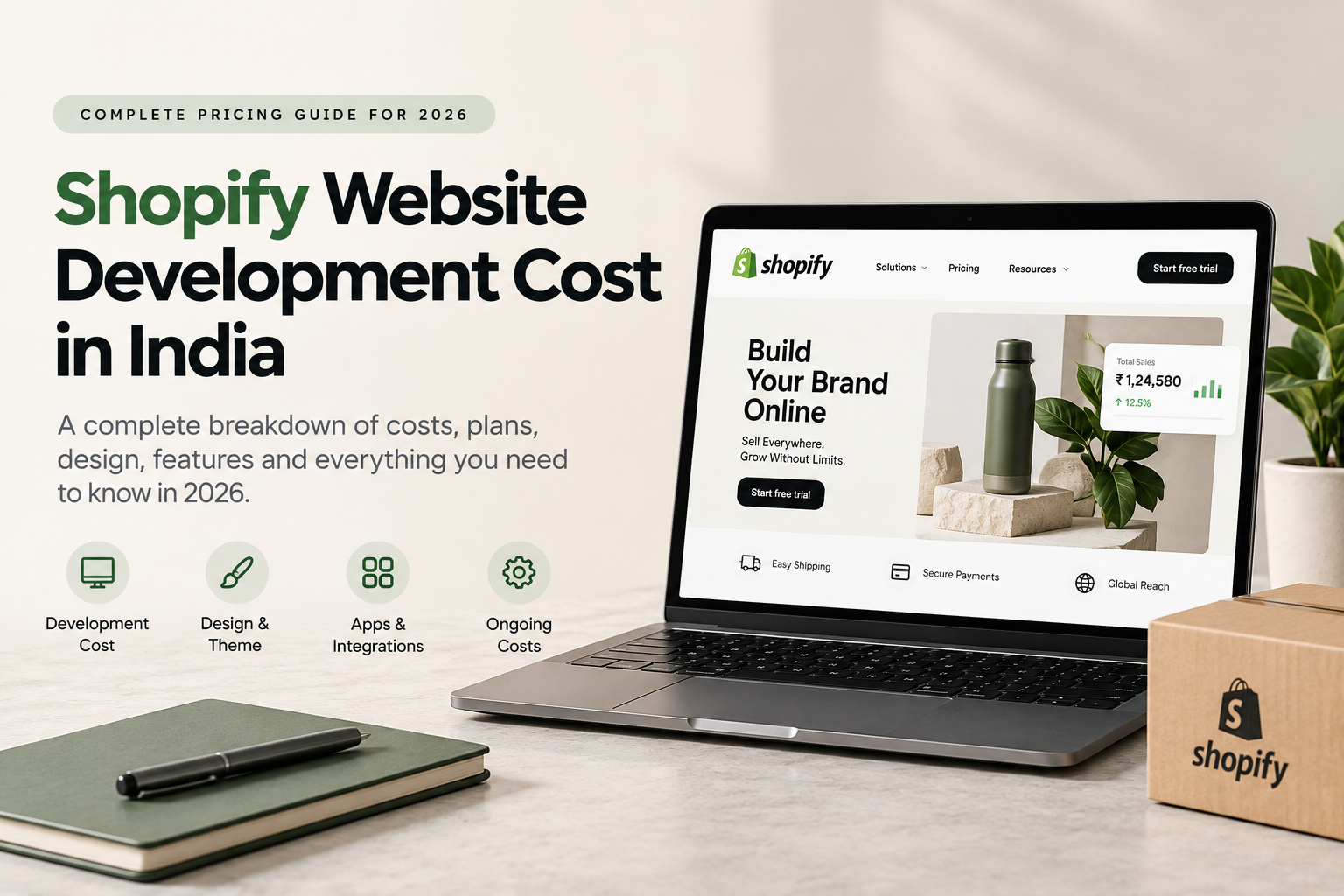
  • Shopify Website Development Cost in India: Complete Pricing Guide for 2026

    Shopify Website Development Cost in India: Complete Pricing Guide for 2026

    If you’re planning to launch an ecommerce business, one of the first questions you’ll probably ask is:

    How much does it cost to build a Shopify website in India?

    The answer isn’t as simple as giving one fixed number.

    The Shopify website development cost India businesses pay can range from approximately ₹20,000 for a simple theme-based store to several lakhs for a custom ecommerce website with advanced integrations, unique functionality, migration requirements, and conversion-focused development.

    Current Indian market estimates vary substantially depending on project scope. Recent 2026 pricing guides place basic stores around ₹20,000–₹50,000, while custom, Shopify Plus, headless, or integration-heavy projects can reach several lakhs or even ₹10 lakh and above.

    Understanding Shopify website development cost India helps businesses set a realistic ecommerce budget before starting development.

    And development isn’t the only expense.

    You also need to consider:

    • Shopify subscription fees
    • Themes
    • Apps
    • Custom development
    • Domain
    • Payment gateway charges
    • Product uploads
    • Integrations
    • SEO
    • CRO
    • Maintenance
    • Marketing tools

    This guide breaks down the Shopify website development cost in India in 2026 so you can understand exactly where your budget may go.


    How Much Does Shopify Website Development Cost in India in 2026?

    For budgeting purposes, Shopify development projects in India can broadly be divided into four levels.

    Shopify Store TypeApproximate Development Cost
    Basic Shopify Store₹20,000 – ₹50,000
    Professional D2C Store₹50,000 – ₹1,50,000
    Custom Shopify Store₹1,50,000 – ₹5,00,000+
    Shopify Plus / Advanced / Headless₹5,00,000 – ₹15,00,000+

    These are planning ranges rather than fixed industry prices. Current published Indian pricing varies considerably between freelancers, studios, agencies, and enterprise developers.

    The final Shopify website development cost India businesses receive in a quotation depends on what the store actually needs.

    A 20-product store using an existing Shopify theme will naturally cost much less than a 2,000-product ecommerce store requiring custom filters, ERP integrations, subscriptions, custom product logic and international selling functionality.

    The final Shopify website development cost India depends heavily on design complexity, integrations, product count, and custom functionality.


    Shopify Subscription Cost in India in 2026

    Development charges and Shopify subscription charges are different.

    You pay your developer or agency to create the store, while your Shopify subscription is an ongoing cost paid to Shopify.

    As of September 2026, Shopify India’s official pricing page lists these rates:

    Shopify PlanMonthly BillingAnnual Billing Equivalent
    Basic₹1,994/month₹1,499/month
    Grow₹7,447/month₹5,599/month
    Advanced₹30,164/month₹22,680/month
    Shopify PlusFrom ₹1,75,000/month*

    *Shopify Plus currently starts at ₹1,75,000/month on a three-year term; Shopify separately lists ₹1,90,000/month as the starting price for a one-year term. Pricing can change, so businesses should check Shopify directly before purchasing.

    For many startups and smaller D2C businesses, the Basic plan can be sufficient initially.

    As operations become more complex, businesses may move toward Grow, Advanced, or Shopify Plus.

    When comparing agencies, businesses should evaluate the complete Shopify website development cost India rather than only the initial development quotation.


    What Determines Shopify Website Development Cost India Businesses Pay?

    Several factors can significantly increase or decrease development cost.

    1. Ready-Made Theme vs Custom Website Design

    One of the biggest pricing factors is the design approach.

    Ready-Made Shopify Theme

    A developer can install an existing Shopify theme and customize:

    • Logo
    • Brand colours
    • Typography
    • Homepage
    • Product pages
    • Collection pages
    • Navigation
    • Footer
    • Basic sections

    This is usually the most affordable approach.

    It is suitable for:

    • New ecommerce businesses
    • Small product catalogs
    • MVP stores
    • Brands testing online demand

    2 . Heavily Customized Theme

    Instead of using a theme exactly as supplied, developers modify its sections and functionality.

    This can include:

    • Custom product layouts
    • Product bundles
    • Sticky add-to-cart
    • Mega menus
    • Advanced filters
    • Custom sliders
    • Product swatches
    • Upsells
    • Size charts
    • Custom sections
    • Conversion-focused layouts

    Naturally, this increases the Shopify website development cost India brands should budget for.


    3. Fully Custom Shopify Website

    Established D2C brands may want a completely unique customer experience.

    A custom Shopify project could involve:

    Figma UI/UX Design → Custom Shopify Development → App Integrations → Testing → Performance Optimization → Launch

    Custom projects require more strategy, design and development time and therefore cost considerably more than simple theme configuration.


    Shopify Website Cost by Business Type

    1. Basic Shopify Store – ₹20,000 to ₹50,000

    A basic Shopify website is suitable for startups and smaller sellers.

    It may include:

    • Shopify account setup
    • Theme installation
    • Brand colours and typography
    • Homepage setup
    • Product page
    • Collection pages
    • About Us page
    • Contact page
    • Policy pages
    • Payment gateway setup
    • Shipping configuration
    • Mobile optimization
    • Basic SEO setup

    This package generally uses an existing theme with limited custom development.


    2. Professional D2C Shopify Store – ₹50,000 to ₹1,50,000

    Growing D2C brands generally require more than a basic template.

    A professional store might include:

    • Premium UI design
    • Custom homepage sections
    • Conversion-focused product pages
    • Product bundles
    • Reviews
    • Upselling
    • Cross-selling
    • Cart customization
    • Product recommendations
    • WhatsApp integration
    • Advanced collection filters
    • Analytics setup
    • Meta Pixel
    • Conversion API
    • Google Analytics
    • Email integrations
    • Speed optimization
    • SEO structure

    This is where design and performance strategy become more important.

    For brands planning to run Meta Ads or Google Ads aggressively, investing in a better conversion experience can often be more valuable than simply choosing the cheapest development option.

    For growing D2C brands, Shopify website development cost India can increase when CRO, analytics, automation, and advanced integrations are included.


    3. Custom Shopify Store – ₹1,50,000 to ₹5,00,000+

    Custom development is suitable for brands that need unique features or want their ecommerce experience to stand apart.

    This may involve:

    • Custom Figma design
    • Custom Liquid development
    • Advanced animations
    • Bespoke product pages
    • Unique bundle systems
    • Subscription functionality
    • Advanced filtering
    • Complex variants
    • Custom calculators
    • Custom app integrations
    • Third-party API integrations
    • International storefront features
    • Advanced tracking
    • CRO strategy

    Published 2026 Indian market guides commonly place stronger custom Shopify projects from roughly ₹1.5 lakh upward, although the upper end varies significantly based on scope.


    4. Shopify Plus and Enterprise Development

    Large ecommerce companies may require Shopify Plus.

    Typical requirements can include:

    • High-volume ecommerce
    • B2B functionality
    • Multiple markets
    • Complex ERP connections
    • Advanced automation
    • International operations
    • Custom integrations
    • Complex catalogs
    • Advanced API requirements

    Shopify itself currently lists Plus starting at ₹1,75,000 per month on a three-year term, separate from the actual cost of hiring an agency or development team to design and implement the store.

    Therefore, Shopify Plus projects can have significantly higher implementation costs.

    A realistic Shopify website development cost India budget should also consider themes, apps, maintenance, and recurring Shopify subscription charges.


    Shopify Theme Cost

    Shopify offers both free and paid themes.

    A free theme can be enough for an early-stage business, especially if the developer can customize it well.

    Premium themes may provide more built-in functionality such as:

    • Product swatches
    • Mega menus
    • Quick view
    • Product filtering
    • Promotional sections
    • Product recommendations
    • Advanced navigation

    Choosing the right theme can sometimes reduce custom development requirements.

    However, selecting a premium theme does not automatically guarantee a high-converting website.

    Your website still needs:

    Good UX + Strong product presentation + Clear messaging + Fast performance + Trust + Effective calls to action.


    Shopify App Costs

    Shopify’s ecosystem includes thousands of apps for adding ecommerce functionality.

    Apps may be required for:

    • Reviews
    • Email marketing
    • WhatsApp
    • Upselling
    • Bundles
    • Loyalty
    • Subscriptions
    • COD verification
    • Shipping
    • GST invoices
    • Product recommendations
    • Customer support
    • Analytics
    • Affiliate marketing

    Some apps offer free tiers, while others require monthly subscriptions.

    Shopify’s App Store contains thousands of applications across categories, meaning app requirements can vary dramatically between stores.

    If your store requires several paid apps, these recurring costs should be included in your ecommerce budget.


    Domain Cost

    You will also require a domain such as:

    yourbrand.com

    or

    yourbrand.in

    Domain prices vary depending on:

    • Extension
    • Registrar
    • Availability
    • Renewal charges

    Unlike custom development, this is generally a relatively small annual expense.


    Product Upload Cost

    A developer may include a limited number of product uploads in the project quotation.

    For example:

    Up to 20 products included

    But if you have 500 or 2,000 products, additional work may be required.

    Product setup may involve:

    • Product title
    • Description
    • Images
    • Pricing
    • SKU
    • Inventory
    • Variants
    • Colours
    • Sizes
    • Collections
    • Tags
    • SEO title
    • Meta description
    • Image alt text

    Large catalog migrations can therefore increase the overall Shopify website development cost India businesses need to plan for.


    Payment Gateway Integration

    Indian ecommerce businesses commonly require payment methods such as:

    • UPI
    • Credit cards
    • Debit cards
    • Net banking
    • Wallets
    • Cash on Delivery

    Depending on the business and gateway selected, additional setup or integration may be needed.

    It is also important to understand Shopify’s third-party payment-provider fees.

    Shopify’s current Indian pricing page lists third-party payment-provider rates of approximately:

    • Basic: 2%
    • Grow: 1%
    • Advanced: 0.6%
    • Plus: 0.2%

    These are Shopify platform charges associated with third-party payment providers and can be separate from whatever fees the payment processor itself charges.

    This should be considered when calculating long-term operating costs.


    Shipping Integration Costs

    Your Shopify store may also require integration with logistics services.

    Depending on your business setup, requirements can include:

    • Automated order sync
    • Shipping labels
    • Tracking information
    • COD
    • Reverse logistics
    • Shipping rate calculations
    • Order status updates

    Simple app-based integrations may require limited development.

    Custom logistics workflows can increase project complexity and cost.


    Shopify SEO Setup

    A beautiful ecommerce website is not enough if potential customers cannot discover it.

    Basic Shopify SEO should include:

    • SEO-friendly URLs
    • Meta titles
    • Meta descriptions
    • Product schema
    • Collection optimization
    • Internal linking
    • Image alt tags
    • Sitemap configuration
    • Search Console setup
    • Page speed optimization
    • Blog structure

    More advanced ecommerce SEO is generally priced separately from website development.


    CRO Can Affect Shopify Development Pricing

    Conversion Rate Optimization (CRO) focuses on turning more visitors into customers.

    A conversion-focused Shopify website might include:

    • Strong hero section
    • Clear value proposition
    • Reviews
    • Ratings
    • Product benefits
    • FAQs
    • Trust badges
    • Comparison sections
    • Sticky Add to Cart
    • Upsells
    • Bundle offers
    • Shipping information
    • Return information
    • Social proof

    Consider two stores that each receive 100,000 visitors.

    If one converts at 1% and another at 2%, the difference in orders can be significant without increasing traffic.

    This is why serious D2C brands should evaluate more than the lowest website quote.


    Mobile Optimization

    Your Shopify store must work properly on:

    • Smartphones
    • Tablets
    • Laptops
    • Desktop devices

    Mobile optimization includes:

    • Responsive layouts
    • Readable typography
    • Properly sized buttons
    • Fast-loading images
    • Easy navigation
    • Simple checkout
    • Mobile-friendly menus
    • Sticky purchase actions

    Your customer should not have to struggle to purchase a product from a phone.


    Shopify Website Redesign Cost

    Already have a Shopify store but not satisfied with it?

    A redesign may involve:

    • New UI/UX
    • New theme
    • Product page redesign
    • Homepage redesign
    • Navigation changes
    • CRO improvements
    • Speed optimization
    • Mobile improvements
    • App cleanup
    • Technical SEO

    The development price depends on whether the agency is simply redesigning pages or rebuilding significant parts of the theme.


    Migrating to Shopify

    Businesses may migrate from platforms such as:

    • WooCommerce
    • Magento
    • Wix
    • Custom ecommerce systems
    • Other hosted platforms

    Migration may require transferring:

    • Products
    • Customers
    • Orders
    • Images
    • Collections
    • Reviews
    • URLs
    • Metadata
    • Blog posts

    One important aspect is preserving existing SEO rankings through proper URL mapping and redirects.

    Complex migrations will increase the Shopify website development cost India businesses pay.


    Freelancer vs Shopify Development Agency

    Another important factor is who builds your store.

    Shopify Freelancer

    A freelancer may be suitable when:

    • Budget is limited
    • Requirements are straightforward
    • You already have the design
    • Custom development is minimal

    Freelancer pricing can be lower, although capacity, strategy and support vary considerably by individual.


    Shopify Development Agency

    An agency may provide multiple specialists such as:

    • UI/UX designers
    • Shopify developers
    • CRO specialists
    • SEO specialists
    • Performance marketers
    • Project managers

    An agency may cost more initially but can be more suitable for larger D2C projects requiring multiple disciplines.

    Current Indian developer pricing sources show wide variation from lower-cost freelancers to premium agencies, confirming why comparing only headline prices can be misleading.


    Hidden Shopify Costs You Should Consider

    When calculating the real cost of a Shopify website, include more than development fees.

    Your budget might look like:

    Shopify development

    • Shopify subscription
    • Theme
    • Apps
    • Domain
    • Payment fees
    • Shipping integrations
    • Maintenance
    • SEO
    • Marketing

    This gives you a more realistic view of the total ecommerce investment.


    Example Shopify Budget for a New D2C Brand

    Consider a D2C brand launching with approximately 30 products.

    It needs:

    • Customized Shopify theme
    • Homepage
    • Collections
    • Product pages
    • Cart
    • Reviews
    • Payment gateway
    • Shipping setup
    • WhatsApp
    • Meta Pixel
    • Google Analytics
    • Basic SEO
    • Mobile optimization

    The business might budget roughly:

    Website Development

    ₹50,000 – ₹1,50,000

    Shopify Subscription

    Starting from the appropriate Shopify plan.

    Theme

    Free or paid depending on design requirements.

    Apps

    Depending on the functionality required.

    Domain

    Annual renewal cost.

    Marketing

    Separate from website development.

    This is why asking:

    “How much does a Shopify website cost?”

    is less useful than asking:

    “What Shopify website does my business actually need?”


    How to Reduce Shopify Development Cost Without Sacrificing Quality

    1. Define Requirements Before Development

    Prepare a feature list before requesting quotations.

    This prevents unnecessary scope changes later.

    2. Use a Strong Existing Theme

    You don’t always need to build everything from scratch.

    A high-quality theme with strategic customization can dramatically reduce development time.

    3. Avoid Unnecessary Apps

    Installing too many apps can increase:

    • Monthly expenses
    • Code complexity
    • Performance issues

    Only install apps that solve an actual business requirement.

    4. Launch Essential Features First

    You can launch a strong version one and add advanced functionality after validating demand.

    5. Invest in Conversion-Critical Areas

    Prioritize:

    • Product pages
    • Checkout journey
    • Mobile UX
    • Site speed
    • Navigation
    • Trust
    • Product presentation

    Cheapest Shopify Website vs Conversion-Focused Shopify Website

    Suppose Developer A charges ₹20,000.

    Developer B charges ₹80,000.

    That does not automatically make Developer A better value or Developer B better quality.

    Compare exactly what is included.

    Ask:

    • Is the design customized?
    • Is mobile UX optimized?
    • Are product pages conversion-focused?
    • Is tracking configured?
    • Is technical SEO included?
    • Are integrations included?
    • Is speed optimized?
    • Is post-launch support included?
    • Who owns the theme and assets?
    • Are paid apps required?

    The cheapest project can become expensive if the site requires rebuilding six months later.


    Questions to Ask Before Hiring a Shopify Developer

    Before finalizing your Shopify partner, ask:

    1. What exactly is included in the quotation?
    2. Is UI/UX design included?
    3. Is the theme free, premium or custom?
    4. How many products will be uploaded?
    5. Are payment and shipping integrations included?
    6. Is mobile optimization included?
    7. Is basic SEO included?
    8. Is analytics and tracking included?
    9. Are there additional app costs?
    10. Will I receive post-launch support?
    11. What is the development timeline?
    12. Will I have full Shopify admin access?
    13. Are future customizations included?
    14. What happens if bugs appear after launch?

    These questions make comparing quotations much easier.


    Is Shopify Worth the Cost for Indian D2C Brands?

    For many ecommerce businesses, Shopify can be attractive because the platform provides an integrated online store, product and inventory management, checkout, analytics, themes, integrations and ecommerce infrastructure. Shopify’s current plans include a full online store and unlimited products across its main tiers.

    But Shopify itself does not automatically create a successful D2C business.

    Your results still depend on:

    Product + Branding + Website + Offer + Creative + Traffic + Conversion + Retention

    A good website is therefore not simply an expense.

    It is part of your customer acquisition and conversion system.


    How UpscaleEra Builds Shopify Websites for D2C Brands

    At UpscaleEra, we approach Shopify development from both a design and growth perspective.

    Instead of simply installing a template, the goal is to create a store that supports the complete ecommerce journey.

    Our Shopify website development approach can include:

    • Shopify store development
    • UI/UX design
    • Custom theme customization
    • Conversion-focused product pages
    • Mobile optimization
    • Shopify app integrations
    • Analytics setup
    • Meta Pixel and tracking
    • Ecommerce SEO structure
    • CRO
    • Website speed optimization
    • D2C growth strategy
    • Performance marketing integration

    For D2C brands, website development and performance marketing should not operate independently.

    Your advertisements bring customers to the website.

    Your website must convert them.


    Final Thoughts

    There is no single answer to Shopify website development cost India businesses should expect in 2026.

    A basic store can start around tens of thousands of rupees, while sophisticated custom ecommerce platforms can require investments of several lakhs.

    Before choosing a developer, don’t evaluate the project only by price.

    Evaluate:

    Design quality + Development quality + Functionality + Mobile UX + Speed + CRO + Tracking + Scalability + Support

    A cheaper Shopify website may help you launch quickly.

    A professionally built Shopify store can help you build a stronger foundation for long-term ecommerce growth.

    The right investment depends on your current business stage, product catalog, expected traffic, required functionality and growth plans.

  • Performance Marketing for D2C Brands: A Complete Guide to Profitable Growth in 2026

    Performance Marketing for D2C Brands: A Complete Guide to Profitable Growth in 2026

    The D2C market has become more competitive than ever.

    Launching a Shopify store, running a few Meta Ads, and increasing the advertising budget is no longer enough to build a profitable brand.

    Customer acquisition costs are rising, audiences are exposed to more advertisements, competition is increasing, and customers expect better shopping experiences.

    This is where performance marketing for D2C brands becomes important.

    Unlike traditional marketing, where success may be measured through reach, impressions, or brand awareness, performance marketing focuses on measurable business outcomes such as sales, revenue, customer acquisition cost, conversion rate, and profitability.

    However, successful performance marketing is not simply about generating a high ROAS.

    A D2C brand needs a complete growth system connecting advertising, creatives, targeting, website experience, tracking, retention, and unit economics.

    In this guide, we will explain how D2C brands can use performance marketing to build sustainable and profitable growth in 2026.

    In 2026, performance marketing for D2C brands should focus on profitability instead of revenue or ROAS alone.


    What Is Performance Marketing for D2C Brands?

    Performance marketing is a data-driven digital marketing approach where campaigns are optimized around measurable results.

    For D2C businesses, these results usually include:

    • Website purchases
    • Revenue
    • Customer acquisition cost
    • Return on ad spend
    • Conversion rate
    • Average order value
    • Customer lifetime value
    • Repeat purchases
    • Contribution margin

    Instead of focusing only on how many people saw an advertisement, performance marketing asks a more important question:

    Did the marketing activity generate profitable business growth?

    For example, generating ₹10 lakh in revenue from advertisements may look impressive.

    But if the brand spends heavily on advertising, discounts, shipping, returns, packaging, payment gateway charges, and product costs, the actual profit could be much lower.

    Therefore, performance marketing should focus on both growth and profitability.


    Why Performance Marketing Matters for D2C Brands

    D2C brands operate differently from traditional retail businesses.

    They usually sell directly through their websites and rely heavily on digital channels to acquire customers.

    This means every part of the customer journey can influence profitability.

    A customer may:

    See an Instagram advertisement → Visit the website → Explore the product → Read reviews → Add the product to cart → Leave → See a retargeting advertisement → Return → Purchase.

    Performance marketing helps brands understand and optimize this complete journey.

    Meta and Google Ads play an important role in performance marketing for D2C brands, but advertising is only one part of the growth system.

    Instead of guessing what works, businesses can identify which campaigns, audiences, creatives, products, and landing pages actually generate revenue.


    The Core Performance Marketing Funnel for D2C Brands

    A strong D2C performance marketing strategy usually contains three major stages.

    1. Customer Acquisition

    The first stage is bringing potential customers into the brand ecosystem.

    Popular acquisition channels include:

    • Meta Ads
    • Google Ads
    • Instagram
    • YouTube
    • Influencer marketing
    • Search engine optimization
    • Affiliate marketing

    For many D2C brands, Meta Ads and Google Ads remain important paid acquisition channels.

    The objective is not simply to generate traffic.

    The objective is to attract users who are most likely to become customers.

    The best performance marketing for D2C brands approach starts with understanding CAC, AOV, margins, LTV, and break-even ROAS.


    2. Conversion

    Driving traffic is only half the job.

    Once users reach the website, the website must convince them to purchase.

    Conversion optimization includes improving:

    • Product pages
    • Website speed
    • Product photography
    • Product descriptions
    • Reviews
    • Trust signals
    • Offers
    • Checkout experience
    • Mobile usability
    • Calls to action

    Even excellent advertising campaigns can fail when the website experience is poor.

    This is why performance marketing and Conversion Rate Optimization (CRO) should work together.

    Businesses investing in performance marketing for D2C brands should continuously test creatives, offers, audiences, and landing pages.


    3. Retention

    Acquiring the same customer repeatedly through paid advertisements can become expensive.

    Successful D2C brands therefore focus on increasing customer lifetime value.

    Retention strategies may include:

    • Email marketing
    • WhatsApp marketing
    • Loyalty programs
    • Repeat purchase offers
    • Product recommendations
    • Subscription models
    • Retargeting
    • Post-purchase communication

    A customer who buys multiple times can significantly improve the overall profitability of a brand.


    The Most Important Performance Marketing Metrics for D2C Brands

    Performance marketers track many metrics, but some are more important than others.

    1. Customer Acquisition Cost (CAC)

    Customer Acquisition Cost represents how much a brand spends to acquire one new customer.

    A simple formula is:

    CAC = Total Marketing Spend ÷ Number of New Customers

    For example:

    Marketing spend = ₹1,00,000
    New customers = 500

    CAC = ₹200

    Reducing CAC while maintaining customer quality can improve profitability.

    When implemented correctly, performance marketing for D2C brands can create sustainable customer acquisition while protecting profitability.


    2. Return on Ad Spend (ROAS)

    ROAS measures how much advertising revenue is generated for every rupee spent.

    ROAS = Revenue Generated from Ads ÷ Ad Spend

    If a company spends ₹1 lakh and generates ₹4 lakh in attributed sales, its ROAS is 4X.

    However, ROAS should never be analyzed alone.

    A 4X ROAS may be profitable for one brand and unprofitable for another depending on margins and operational costs.


    3. Average Order Value (AOV)

    Average Order Value represents how much a customer spends per transaction.

    AOV = Total Revenue ÷ Total Orders

    Brands can increase AOV through:

    • Product bundles
    • Buy-more-save-more offers
    • Cross-selling
    • Upselling
    • Free shipping thresholds
    • Combo packs

    Higher AOV can allow brands to afford higher customer acquisition costs.


    4. Conversion Rate

    Your website conversion rate tells you what percentage of website visitors complete a purchase.

    For example, if 10,000 people visit your website and 200 purchase, your conversion rate is 2%.

    Conversion rate can be improved through better:

    • Website UX
    • Product pages
    • Offers
    • Product information
    • Reviews
    • Checkout flow
    • Loading speed
    • Trust signals

    5. Customer Lifetime Value (LTV)

    Customer Lifetime Value estimates how much revenue or profit a customer generates throughout their relationship with the brand.

    Brands with strong repeat purchase behavior can afford to invest more aggressively in acquisition.

    For example, skincare, food, wellness, and personal care brands often have strong repeat purchase opportunities.


    6. Contribution Margin

    Contribution margin is one of the most important metrics when evaluating whether growth is actually profitable.

    A simplified calculation may include:

    Revenue
    – Product cost
    – Discounts
    – Shipping
    – Packaging
    – Payment gateway fees
    – Returns/RTO
    – Advertising cost

    What remains gives the brand a better picture of actual profitability.


    Why ROAS Alone Is Not Enough

    One of the biggest mistakes D2C brands make is optimizing everything around ROAS.

    Consider two brands.

    Brand A

    Revenue: ₹5,00,000
    Ad Spend: ₹1,00,000
    ROAS: 5X

    Brand B

    Revenue: ₹5,00,000
    Ad Spend: ₹1,50,000
    ROAS: 3.33X

    At first glance, Brand A appears significantly better.

    However, if Brand A uses aggressive discounts, has low margins, high shipping costs, and high return rates, its actual profitability may be lower.

    Performance marketing must therefore evaluate:

    ROAS + CAC + AOV + margins + operational costs + customer lifetime value.

    The objective should be profitable growth, not simply attractive advertising numbers.


    Meta Ads for D2C Brands

    Meta Ads remain one of the most popular customer acquisition channels for ecommerce brands.

    They allow businesses to reach potential buyers across platforms such as Facebook and Instagram.

    A strong Meta Ads strategy usually includes multiple components.

    Creative Testing

    Creative is often one of the biggest drivers of campaign performance.

    Brands should continuously test:

    • UGC videos
    • Product demonstration videos
    • Problem-solution ads
    • Testimonials
    • Founder videos
    • Static product ads
    • Comparison ads
    • Lifestyle creatives
    • Offer-based advertisements

    Different creatives work for different audiences.

    Continuous testing helps brands discover winning messaging angles.

    Meta provides advertising tools that allow ecommerce brands to reach and retarget audiences across Facebook and Instagram.


    Audience Testing

    D2C brands can test different audience types such as:

    • Broad audiences
    • Interest-based audiences
    • Website visitors
    • Social media engagers
    • Customer lists
    • Lookalike audiences

    However, targeting alone cannot fix a weak offer or poor creative.

    Creative quality, messaging, website experience, and product-market fit often play equally important roles.


    Retargeting

    Many customers do not purchase during their first website visit.

    Retargeting campaigns help bring them back.

    Potential retargeting audiences include:

    • Website visitors
    • Product viewers
    • Add-to-cart users
    • Checkout users
    • Instagram engagers
    • Previous customers

    Retargeting messaging can include reviews, product benefits, FAQs, offers, or urgency.


    Google Ads for D2C Brands

    Google Ads allows brands to capture users who are actively searching for products.

    Google Analytics can help brands understand website traffic, acquisition channels, user behaviour, and conversions.

    Important campaign types can include:

    Google Search Ads

    These target keywords people search on Google.

    For example:

    “best cabin luggage in India”

    “organic shampoo for hair fall”

    “premium skincare products”

    Search campaigns can work particularly well when customers already have strong purchase intent.


    Google Shopping Campaigns

    Shopping ads display products directly in search results with images and pricing.

    They can be highly relevant for ecommerce brands because users can compare products before visiting the website.


    Performance Max Campaigns

    Performance Max allows advertisers to run campaigns across multiple Google properties using automation and machine learning.

    However, brands still need strong:

    • Product feeds
    • Creatives
    • Landing pages
    • Conversion tracking
    • Audience signals

    Automation cannot compensate for poor fundamentals.


    Creative Strategy: The Engine Behind D2C Growth

    Performance marketing campaigns depend heavily on creative quality.

    Customers are exposed to hundreds of advertisements online.

    Your creative needs to stop attention and communicate value quickly.

    A high-performing D2C creative usually answers:

    What is the problem?

    Identify the customer’s pain point.

    What is the solution?

    Show how the product addresses the problem.

    Why should customers trust you?

    Use testimonials, reviews, demonstrations, certifications, or social proof.

    Why should they buy now?

    Communicate the offer, value proposition, or urgency.

    What should they do next?

    Use a clear call to action.


    Website CRO: Turn More Traffic Into Customers

    Imagine spending ₹3 lakh every month on advertising.

    Instead of increasing the advertising budget, improving your conversion rate could sometimes generate additional sales from the same traffic.

    This is why CRO should be a major part of any D2C performance marketing strategy.

    Important CRO elements include:

    Product Images

    Use high-quality photos showing:

    • Multiple product angles
    • Product details
    • Product usage
    • Lifestyle context
    • Product size or scale

    Product Descriptions

    Product descriptions should focus on customer benefits rather than only technical features.

    Customer Reviews

    Reviews help reduce customer hesitation and increase trust.

    Mobile Optimization

    A large portion of D2C traffic often comes from mobile devices.

    Product pages should therefore be fast, easy to navigate, and simple to purchase from.

    Checkout Experience

    Avoid unnecessary steps during checkout.

    Make payment options clear and reduce friction wherever possible.


    Improve Average Order Value

    Increasing AOV can significantly improve D2C economics.

    Suppose your CAC is ₹400.

    If your average order value is ₹800, customer acquisition may be difficult.

    But if you increase AOV to ₹1,400 through bundles and upsells, you may have more room to acquire customers profitably.

    Strategies include:

    • Bundle offers
    • Product combos
    • Quantity discounts
    • Upsells
    • Cross-sells
    • Free shipping thresholds
    • Complementary products

    Reduce Customer Acquisition Cost

    CAC can rise when competition increases or campaigns lose effectiveness.

    Brands can reduce CAC by improving multiple parts of the funnel.

    Test More Creatives

    Advertising fatigue can reduce performance.

    Refresh creatives regularly.

    Improve Website Conversion Rate

    Better conversion means more customers from the same traffic.

    Strengthen Your Offer

    Customers need a compelling reason to choose your brand.

    Improve Product Positioning

    Clearly communicate why your product is different.

    Build Organic Traffic

    SEO, social content, and creator partnerships can reduce long-term dependence on paid advertising.


    Build Better Retention

    Performance marketing should not stop after a customer purchases.

    Retention can significantly improve profitability.

    Brands can use:

    • WhatsApp campaigns
    • Email automation
    • Replenishment reminders
    • Loyalty rewards
    • New product launches
    • Personalized offers
    • Cross-selling
    • Subscription programs

    For products that customers purchase repeatedly, retention becomes even more valuable.


    Track the Entire Customer Journey

    Accurate tracking is essential for performance marketing.

    Brands should properly configure tools such as:

    • Meta Pixel
    • Meta Conversion API
    • Google Analytics
    • Google Ads conversion tracking
    • Google Merchant Center
    • Ecommerce analytics
    • CRM tracking

    Tracking helps businesses understand where customers are coming from and which marketing channels generate results.

    Without reliable data, campaign optimization becomes guesswork.


    Common Performance Marketing Mistakes D2C Brands Should Avoid

    1. Scaling Campaigns Too Fast

    Increasing budgets aggressively before identifying profitable campaigns can increase losses.

    Test first, validate economics, and scale gradually.

    2. Focusing Only on ROAS

    ROAS is important, but profitability depends on much more.

    3. Ignoring Creative Fatigue

    Winning advertisements do not perform forever.

    Continuous creative testing is necessary.

    4. Sending Every Ad to the Homepage

    Campaign traffic should often be directed to the most relevant product or landing page.

    5. Ignoring Mobile Experience

    A poor mobile shopping experience can significantly reduce conversions.

    6. Constantly Changing Campaigns

    Making too many changes can make performance difficult to evaluate.

    7. Scaling Without Understanding Unit Economics

    Growth becomes dangerous when brands do not understand their break-even acquisition cost.


    A Simple D2C Performance Marketing Framework for 2026

    A profitable growth strategy can be divided into five steps.

    Step 1: Understand Your Unit Economics

    Know your:

    • Product margins
    • CAC
    • AOV
    • Contribution margin
    • Return rate
    • Shipping cost
    • Repeat purchase rate
    • Break-even ROAS

    Step 2: Build Strong Tracking

    Ensure your advertising and analytics systems are collecting reliable data.

    Step 3: Test Creatives and Offers

    Find the messages that resonate with customers.

    Step 4: Improve Website Conversion

    Turn more advertising traffic into customers.

    Step 5: Scale Profitable Campaigns

    Once the economics work, gradually increase campaign budgets.


    Performance Marketing Is a System, Not Just Advertising

    A common misconception is that performance marketing simply means running Facebook or Google Ads.

    In reality, successful D2C growth requires multiple systems working together:

    Product + Offer + Messaging + Creative + Advertising + Website + Tracking + Retention + Unit Economics

    If one part of this system is weak, performance can suffer.

    For example:

    Great ads + weak website = poor conversions.

    Strong website + weak creative = expensive traffic.

    High ROAS + weak margins = poor profitability.

    Good acquisition + no retention = constant dependence on paid advertising.

    The strongest D2C brands optimize the complete growth system rather than one isolated metric.


    How UpscaleEra Helps D2C Brands Scale Profitably

    At UpscaleEra, we approach D2C growth as a connected performance system rather than simply running advertisements.

    Our focus is on improving the complete customer journey through:

    • Performance marketing
    • Meta Ads management
    • Google Ads
    • Creative strategy
    • Conversion-focused websites
    • Shopify development
    • Landing page optimization
    • Analytics and tracking
    • AI automation
    • Growth strategy

    The objective is simple:

    Generate better customers, improve conversions, and build profitable growth rather than simply increasing ad spend.

    A successful performance marketing for D2C brands strategy connects paid advertising, creative testing, website CRO, tracking, and retention.


    Final Thoughts

    Performance marketing for D2C brands in 2026 is no longer about finding one winning advertisement and continuously increasing the budget.

    The brands that scale sustainably focus on the complete business equation.

    They understand customer acquisition costs.

    They monitor margins.

    They continuously test creatives.

    They improve conversion rates.

    They increase average order values.

    They retain existing customers.

    And most importantly, they measure profitability alongside growth.

    If your D2C brand is generating traffic or revenue but struggling to scale profitably, the problem may not be a single campaign.

    It may be the entire growth system.

    A structured performance marketing strategy can help identify those gaps and turn marketing spend into sustainable business growth.


  • AI Automation for Small Businesses: 12 Powerful Ways to Save Time and Grow

    AI Automation for Small Businesses: 12 Powerful Ways to Save Time and Grow

    Running a small business often means managing sales, marketing, customer support, payments, reports and daily operations with a limited team.

    Employees may spend several hours copying information between tools, responding to repetitive questions, preparing reports, following up with leads and updating spreadsheets.

    This is where AI automation for small businesses can make a meaningful difference.

    AI automation combines artificial intelligence with workflow automation to complete repetitive tasks, move information between tools, trigger actions and help teams make faster decisions.

    It does not necessarily mean replacing employees. When implemented correctly, automation removes repetitive work so people can focus on customers, strategy, creativity and business growth.

    UpscaleEra currently offers AI automation alongside performance marketing, website development, content and demand-generation services, allowing automation to be connected with broader digital-growth systems.

    This guide explains 12 practical ways small businesses can use AI automation to save time, improve efficiency and create a better customer experience.

    Table of Contents

    1. What Is AI Automation?
    2. Why Small Businesses Need Automation
    3. Automate Lead Collection
    4. Improve Sales Follow-Ups
    5. Automate WhatsApp Communication
    6. Provide Faster Customer Support
    7. Automate Appointment Booking
    8. Simplify Marketing Workflows
    9. Generate Reports Automatically
    10. Improve eCommerce Operations
    11. Automate Invoice and Payment Reminders
    12. Organise Customer Data
    13. Improve Internal Task Management
    14. Use AI for Content Assistance
    15. Create Automated Customer Feedback Systems
    16. How to Start With AI Automation
    17. Common Automation Mistakes
    18. How UpscaleEra Can Help
    19. Frequently Asked Questions

    What Is AI Automation?

    AI automation is the use of artificial intelligence and connected software workflows to complete tasks with limited manual involvement.

    AI automation for small businesses can reduce repetitive work and help teams focus on higher-value activities.

    A basic automation follows a fixed rule.

    For example:

    When a website form is submitted → Add the lead to Google Sheets → Send a notification to the sales team.

    An AI-supported automation can perform more advanced work.

    For example:

    When a lead submits a form → Analyse the requirement → Categorise the lead → Assign it to the correct salesperson → Create a personalised WhatsApp response.

    Automation workflows may connect tools such as:

    • Website forms
    • Google Sheets
    • CRM systems
    • Gmail
    • WhatsApp
    • Meta lead forms
    • Shopify
    • WordPress
    • Google Calendar
    • Accounting tools
    • Customer-support platforms
    • Reporting dashboards

    Google Apps Script, for example, can automate tasks across Google Workspace products such as Sheets, Gmail and Calendar, while Microsoft Power Automate supports workflow creation across business applications.

    Why AI Automation for Small Businesses Matters

    Small businesses usually operate with limited time, staff and budgets.

    When employees spend too much time on repetitive administration, important activities may be delayed.

    These can include:

    • Responding to new leads
    • Following up with customers
    • Updating sales records
    • Preparing performance reports
    • Confirming appointments
    • Sending payment reminders
    • Managing customer queries
    • Updating order information

    A well-planned AI automation for small businesses strategy can help:

    • Reduce repetitive work
    • Improve response times
    • Reduce manual errors
    • Organise customer information
    • Support faster follow-up
    • Improve reporting
    • Create consistent processes
    • Allow teams to handle more work
    • Improve customer experience

    Automation is most valuable when it solves a clear operational problem.

    Businesses should not automate a process simply because a new AI tool is available.

    One of the biggest advantages of AI automation for small businesses is the ability to save time without immediately increasing team size.

    1. Automate Lead Collection

    Leads may arrive through:

    • Website forms
    • Meta lead forms
    • Google Ads
    • WhatsApp
    • Phone calls
    • Landing pages
    • Social media messages
    • Offline events

    Without automation, employees may manually copy each enquiry into a spreadsheet or CRM.

    This can create:

    • Duplicate records
    • Missing information
    • Slow response times
    • Incorrect phone numbers
    • Unassigned leads
    • Lost opportunities

    Automated Lead Workflow

    Lead Submitted
    ↓
    Information Validated
    ↓
    Lead Added to CRM or Google Sheet
    ↓
    Salesperson Assigned
    ↓
    Notification Sent
    ↓
    Customer Receives Confirmation

    This type of AI automation for small businesses can help ensure every enquiry enters one organised system.

    2. Improve Sales Follow-Ups

    Many leads do not convert after one call.

    The salesperson may need to send:

    • A brochure
    • Pricing details
    • Portfolio
    • Appointment reminder
    • Case study
    • Proposal
    • Follow-up message

    Manual follow-up becomes difficult when the business receives many enquiries.

    Automated Follow-Up Sequence

    Day 0: Confirmation message
    Day 1: First follow-up
    Day 3: Helpful service information
    Day 5: Case study or customer result
    Day 7: Consultation reminder
    Day 10: Final follow-up

    The sequence should stop when the customer replies, books a meeting or becomes a client.

    Automation should support personal communication rather than create repetitive spam.

    3. Automate WhatsApp Communication

    WhatsApp is an important communication channel for many Indian businesses.

    It can be used to send:

    • Lead confirmations
    • Appointment reminders
    • Order updates
    • Payment reminders
    • Product information
    • Support updates
    • Feedback requests
    • Follow-up messages

    Example

    Hello Rahul, thank you for contacting UpscaleEra regarding website development. Your enquiry has been received, and our team will contact you shortly.

    A more advanced workflow may personalise the message according to the customer’s selected service.

    For example:

    • Website enquiry → Website-development message
    • Meta Ads enquiry → Performance-marketing message
    • Shopify enquiry → eCommerce-development message

    WhatsApp automation should follow applicable platform rules, customer consent requirements and message-template policies.

    4. Provide Faster Customer Support

    Customers often ask similar questions repeatedly.

    Examples include:

    • What are your working hours?
    • Do you provide delivery?
    • What is the project timeline?
    • Where is your office?
    • How do I book an appointment?
    • Which payment methods are accepted?
    • What is your return policy?
    • How can I track my order?

    An AI-supported chatbot can respond to basic questions and direct complex issues to a human team member.

    Customer-Support Workflow

    Customer Sends Question
    ↓
    AI Identifies the Topic
    ↓
    Relevant Answer Is Provided
    ↓
    Unresolved Issue Is Assigned to Human Support

    The chatbot should clearly explain when the customer is communicating with an automated system.

    Customers should also have an easy way to reach a person.

    5. Automate Appointment Booking

    Service businesses may spend significant time coordinating appointment availability.

    This includes:

    • Clinics
    • Consultants
    • Agencies
    • Salons
    • Trainers
    • Coaches
    • Real estate companies
    • Professional service firms

    An automated booking system can:

    • Show available time slots
    • Collect customer information
    • Create a calendar event
    • Send confirmation
    • Send reminders
    • Allow rescheduling
    • Notify the relevant employee

    Example Workflow

    Customer Selects a Slot
    ↓
    Google Calendar Is Updated
    ↓
    Confirmation Is Sent
    ↓
    Reminder Is Sent Before the Meeting
    ↓
    Salesperson Receives Customer Details

    This can reduce scheduling errors and unnecessary back-and-forth messages.

    6. Simplify Marketing Workflows

    Marketing requires coordination between content planning, design, publishing, lead collection and reporting.

    Automation can help manage:

    • Content calendars
    • Post approvals
    • Email campaigns
    • Lead-nurture sequences
    • Campaign notifications
    • Customer segmentation
    • Retargeting lists
    • Performance summaries

    For example:

    Blog Published
    ↓
    Email Draft Created
    ↓
    Social Post Draft Created
    ↓
    Internal Team Notified
    ↓
    Article Added to Content Tracker

    UpscaleEra’s demand-generation services currently include content, email nurturing and marketing automation as connected parts of a full-funnel strategy.

    7. Generate Reports Automatically

    Preparing reports manually can take several hours every week or month.

    Employees may need to collect information from:

    • Meta Ads
    • Google Ads
    • Shopify
    • Google Analytics
    • CRM
    • Google Sheets
    • Sales records

    An automated dashboard can combine important metrics in one place.

    Metrics May Include

    • Advertising spend
    • Leads generated
    • Cost per lead
    • Qualified leads
    • Purchases
    • Revenue
    • Return on ad spend
    • Website traffic
    • Conversion rate
    • Lead status

    Automated Reporting Workflow

    Data Collected From Platforms
    ↓
    Dashboard Updated
    ↓
    Weekly Summary Generated
    ↓
    Report Sent to Team or Client

    AI can also summarise the data and highlight unusual changes.

    However, important business decisions should still be reviewed by a qualified person.

    8. Improve eCommerce Operations

    eCommerce businesses manage:

    • Orders
    • Inventory
    • Shipping
    • Customer communication
    • Returns
    • Product data
    • Abandoned carts
    • Reviews
    • Payments

    Automation can connect these processes.

    Example eCommerce Workflows

    New Order → Update Inventory → Notify Fulfilment Team → Send Customer Confirmation
    Order Shipped → Send Tracking Details → Update Order Status
    Cart Abandoned → Send Reminder → Offer Support → Stop Messages After Purchase
    Order Delivered → Wait Three Days → Request Customer Feedback

    UpscaleEra’s website-development offering includes Shopify and custom D2C storefronts, conversion integrations and performance-focused digital experiences, which can be connected with operational automation.

    Businesses can use AI automation for small businesses across marketing, customer support, lead management, reporting, and daily operations.

    9. Automate Invoice and Payment Reminders

    Late payments can affect cash flow.

    Manual payment follow-up also consumes staff time.

    An automated system can:

    • Generate an invoice
    • Send it to the customer
    • Record the due date
    • Send a reminder before the due date
    • Send another reminder after the due date
    • Notify accounts when payment is received
    • Update the payment status

    Example

    Invoice Created
    ↓
    Invoice Sent
    ↓
    Reminder Sent Two Days Before Due Date
    ↓
    Payment Status Checked
    ↓
    Overdue Reminder Sent if Required

    Payment messages should remain professional and should not be sent after the payment has already been recorded.

    10. Organise Customer Data

    Customer information may be spread across:

    • WhatsApp
    • Emails
    • Spreadsheets
    • Website forms
    • Meta lead forms
    • Sales employees’ phones
    • CRM systems

    This makes it difficult to understand the complete customer journey.

    Automation can combine information into a central record.

    A customer record may include:

    • Name
    • Phone number
    • Email
    • Enquiry source
    • Service required
    • Budget
    • Assigned salesperson
    • Follow-up status
    • Last communication
    • Purchase history
    • Notes

    Organised data supports better follow-up, reporting and customer service.

    Businesses should collect only necessary data and protect it using appropriate access controls.

    When implemented correctly, AI automation for small businesses can improve productivity while creating a smoother customer experience.

    11. Improve Internal Task Management

    Automation can convert customer or team actions into assigned tasks.

    For example:

    Client Approves Website Design
    ↓
    Development Task Created
    ↓
    Developer Assigned
    ↓
    Deadline Added
    ↓
    Project Manager Notified

    Another workflow could be:

    New Customer Complaint
    ↓
    Support Ticket Created
    ↓
    Priority Assigned
    ↓
    Responsible Employee Notified
    ↓
    Escalation Triggered if Unresolved

    This helps create accountability and reduces dependence on memory or informal messages.

    A successful AI automation for small businesses strategy should start with repetitive processes that consume the most time.

    12. Use AI for Content Assistance

    AI can support parts of the content-development process.

    It may help with:

    • Topic ideas
    • Content outlines
    • Headline variations
    • Email drafts
    • Social-media captions
    • Product descriptions
    • Video-script drafts
    • Content repurposing
    • Basic proofreading

    However, AI-generated content should be reviewed before publishing.

    A human should verify:

    • Accuracy
    • Brand tone
    • Claims
    • Grammar
    • Customer relevance
    • Legal or compliance issues
    • Originality
    • Cultural context

    AI should assist the creative process rather than replace strategy and quality control.

    13. Create Automated Customer Feedback Systems

    Customer feedback helps businesses identify service problems and improvement opportunities.

    An automated feedback process can:

    • Send a message after delivery
    • Ask for a rating
    • Collect detailed feedback
    • Send positive customers to a review page
    • Alert the support team about negative experiences
    • Store responses in a dashboard

    Example

    Service Completed
    ↓
    Feedback Request Sent
    ↓
    Customer Selects Rating
    ↓
    Positive Feedback → Review Invitation
    Negative Feedback → Support Ticket

    Do not prevent customers from sharing negative feedback or pressure them to leave only positive reviews.

    Benefits of AI Automation for Small Businesses

    Faster Response Times

    New enquiries and customer requests can be acknowledged immediately.

    Lower Administrative Work

    Employees spend less time copying information and sending repetitive messages.

    Fewer Manual Errors

    Automation reduces mistakes caused by repetitive data entry.

    Better Lead Management

    Every lead can be recorded, assigned and followed up consistently.

    Improved Customer Experience

    Customers receive timely confirmations, reminders and updates.

    More Reliable Reporting

    Dashboards can be updated automatically using connected data.

    Easier Business Growth

    A small team can manage a larger volume of work without creating the same increase in administration.

    In 2026, AI automation for small businesses is becoming increasingly useful for companies looking to scale operations more efficiently.

    How to Start With AI Automation

    Do not begin by automating the entire business.

    Start with one clear problem.

    Step 1: Identify Repetitive Work

    Ask:

    • Which task happens every day?
    • Which task takes the most time?
    • Where are mistakes common?
    • Which process delays customer responses?
    • Which work involves copying data?

    Step 2: Map the Existing Process

    Write every step from beginning to end.

    For example:

    Lead Arrives → Employee Checks Email → Copies Details → Updates Sheet → Calls Customer → Adds Notes

    Step 3: Remove Unnecessary Steps

    Do not automate a badly designed process.

    First simplify it.

    Step 4: Choose the Right Tools

    Select tools that can connect with your current:

    • Website
    • CRM
    • WhatsApp
    • Email
    • Google Sheets
    • Shopify
    • Accounting software
    • Calendar

    Step 5: Test With Real Examples

    Run the automation using sample and real-world cases.

    Step 6: Add Human Review

    Important tasks should have approval or exception handling.

    Step 7: Measure the Result

    Track:

    • Time saved
    • Response time
    • Error reduction
    • Leads contacted
    • Appointments booked
    • Customer satisfaction
    • Revenue impact

    Common AI Automation Mistakes

    Automating Without a Clear Goal

    Every workflow should solve a measurable business problem.

    Automating a Broken Process

    Simplify the process before adding technology.

    Removing Human Support Completely

    Customers should be able to reach a real person when needed.

    Sending Too Many Messages

    Poorly planned automation can create spam and damage trust.

    Ignoring Data Security

    Limit access to customer and business information.

    Using AI Output Without Review

    AI can generate incorrect, incomplete or unsuitable responses.

    Connecting Too Many Tools at Once

    Begin with a small workflow and expand after it works reliably.

    Failing to Monitor Automations

    Workflows can break when platforms, forms or fields change.

    Not Training Employees

    The team should understand how the workflow works and what to do when it fails.

    AI Automation Checklist for Small Businesses

    Before launching a workflow, confirm:

    • The business problem is clearly defined
    • The existing process is documented
    • Unnecessary steps are removed
    • Customer consent is considered
    • Required tools can connect
    • Data access is controlled
    • Error handling is configured
    • A human escalation path exists
    • Messages are reviewed
    • The workflow has been tested
    • Results are measurable
    • One person owns the process
    • The automation is monitored regularly

    How UpscaleEra Helps Businesses Automate Workflows

    UpscaleEra provides AI automation services designed to connect business tools, reduce repetitive work and improve operational efficiency. Its website currently positions AI automation as part of a broader service ecosystem that also includes performance marketing, website development and demand generation.

    Automation solutions may include:

    • Lead-management workflows
    • CRM automation
    • Google Sheets automation
    • WhatsApp workflows
    • Email automation
    • Appointment systems
    • Customer-support workflows
    • Marketing automation
    • eCommerce automation
    • Reporting dashboards
    • Internal task automation
    • Custom business integrations

    Explore UpscaleEra’s AI automation services:

    https://upscaleera.com/ai-automation-services/

    Explore website development:

    https://upscaleera.com/website-development/

    Explore performance marketing:

    https://upscaleera.com/performance-marketing/

    Contact UpscaleEra:

    https://upscaleera.com/contact/

    Final Thoughts

    AI automation for small businesses is most effective when it improves a real process.

    It can help businesses automate:

    • Lead collection
    • Sales follow-ups
    • WhatsApp messages
    • Appointment booking
    • Customer support
    • Reports
    • eCommerce operations
    • Payment reminders
    • Internal tasks
    • Customer feedback

    However, automation should not remove judgement, empathy or accountability.

    The strongest systems combine:

    • Clear processes
    • Suitable technology
    • Accurate data
    • Human review
    • Regular monitoring
    • Measurable outcomes

    Start with one repetitive task, improve the process and expand automation gradually.

    Ready to Automate Your Business?

    Are repetitive tasks slowing down your team?

    Use the anchor text:

    Request an AI automation consultation

    Link it to:

    https://upscaleera.com/contact/

    UpscaleEra can review your lead management, customer support, reporting, WhatsApp, website and internal workflows to identify practical automation opportunities.

    Frequently Asked Questions

    What is AI automation for small businesses?

    AI automation for small businesses involves using connected software and artificial intelligence to complete repetitive tasks, organise information, trigger actions and support faster decision-making.

    Which business processes can be automated?

    Businesses can automate lead collection, follow-ups, appointment booking, customer support, reporting, invoices, order updates, feedback requests and internal task management.

    Is AI automation expensive?

    The cost depends on the number of workflows, tools, integrations and complexity. A simple lead-notification workflow generally requires less investment than a complete CRM, WhatsApp and reporting system.

    Can AI automation replace employees?

    Automation is generally more effective when it supports employees by removing repetitive work. Human judgement remains important for strategy, customer relationships, approvals and complex problems.

    Can WhatsApp be automated?

    Yes, eligible businesses can automate approved WhatsApp workflows such as confirmations, reminders, support updates and follow-ups. Platform rules, customer consent and message policies must be followed.

    Is AI automation secure?

    It can be secure when access controls, reliable tools, data minimisation, monitoring and appropriate security practices are used. Sensitive information should not be shared unnecessarily.

    How should a small business begin with automation?

    Start by identifying one repetitive, time-consuming process. Document it, simplify it, automate a small section, test the workflow and measure the result before expanding.

    Does my business need a CRM for automation?

    Not every workflow requires a CRM. Small businesses may begin with forms, Google Sheets, email and notifications. A CRM becomes more useful as lead volume and sales complexity increase.

  • Local SEO Checklist for Nashik Businesses: 15 Proven Ways to Rank Higher

    Local SEO Checklist for Nashik Businesses: 15 Proven Ways to Rank Higher

    When customers search for a nearby clinic, restaurant, consultant, real estate company, website developer or professional service, Google often displays local businesses before traditional organic results.

    That makes local SEO in Nashik an important growth channel for companies that depend on customers from Nashik and surrounding areas.

    Local SEO helps your business become more visible when someone searches for services using terms such as:

    • Digital marketing agency in Nashik
    • Dentist near me
    • Website developer in Nashik
    • Interior designer near me
    • Best restaurant in Nashik
    • Real estate consultant in Nashik
    • Industrial supplier near Nashik
    • Coaching classes near me

    A strong local SEO strategy connects your Google Business Profile, website, reviews, business information and local reputation.

    A strong local SEO in Nashik strategy helps businesses appear when nearby customers actively search for their products or services.

    Google explains that local results are primarily influenced by relevance, distance and prominence. This means your business must clearly match the customer’s search, be appropriately located or serve the relevant area, and demonstrate a strong reputation across Google and the wider web.

    This complete checklist explains 15 practical ways to improve local SEO in Nashik and increase your visibility across Google Search and Google Maps.

    For service-based companies, local SEO in Nashik can generate highly relevant enquiries from people already looking for a solution.

    Table of Contents

    1. Claim and Verify Your Google Business Profile
    2. Choose the Correct Business Categories
    3. Complete Every Important Profile Field
    4. Maintain Consistent Business Information
    5. Write a Locally Relevant Business Description
    6. Add High-Quality Photos and Videos
    7. Build a Genuine Review Strategy
    8. Respond to Every Customer Review
    9. Research Local Keywords
    10. Create Location-Focused Website Pages
    11. Optimise Website Titles and Headings
    12. Build Local Citations
    13. Improve Website Speed and Mobile Experience
    14. Add Local Business Schema
    15. Track Local SEO Performance
    16. Common Local SEO Mistakes
    17. How UpscaleEra Helps Nashik Businesses
    18. Frequently Asked Questions

    What Is Local SEO?

    Local SEO is the process of improving a business’s visibility for searches connected to a specific location.

    It can help your business appear in:

    • Google Maps
    • Google local results
    • The local map pack
    • Organic search results
    • “Near me” searches
    • Branded searches
    • Mobile location-based searches

    Traditional SEO may target broad national or international keywords.

    Google Business Profile optimization is one of the most important parts of local SEO in Nashik.

    Local SEO focuses more heavily on:

    • Business location
    • Service area
    • Google Business Profile
    • Customer reviews
    • Local keywords
    • Business categories
    • Local directories
    • Location pages
    • Contact information
    • Local reputation

    A well-planned local SEO in Nashik strategy can help customers discover your business at the exact moment they are searching for a nearby solution.

    Businesses investing in local SEO in Nashik should keep their name, address, phone number and business information consistent across the web.

    Why Local SEO Matters for Nashik Businesses

    Local customers often search before calling, visiting or purchasing from a business.

    They may compare:

    • Location
    • Ratings
    • Reviews
    • Photos
    • Working hours
    • Services
    • Contact information
    • Website quality
    • Directions
    • Customer experiences

    A strong local presence can help your business:

    • Generate phone calls
    • Receive direction requests
    • Increase website visits
    • Generate appointments
    • Attract store visits
    • Build customer trust
    • Generate WhatsApp enquiries
    • Improve local brand awareness
    • Compete with larger companies
    • Reduce complete dependence on paid advertising

    UpscaleEra currently positions itself as a Nashik-based agency offering performance marketing, website development and related digital growth services, making local visibility relevant to its own customer acquisition strategy.

    Customer reviews can significantly strengthen a local SEO in Nashik strategy while also improving trust.

    1. Claim and Verify Your Google Business Profile

    The first step in local SEO in Nashik is claiming and verifying your Google Business Profile.

    A verified profile allows your business to manage information that may appear across Google Search and Maps.

    Your profile can display:

    • Business name
    • Category
    • Address
    • Service area
    • Phone number
    • Website
    • Working hours
    • Photos
    • Reviews
    • Products
    • Services
    • Updates
    • Questions and answers

    Use an email address controlled by your business when setting up the profile.

    Avoid allowing an outside agency or former employee to remain the only profile owner.

    Important Ownership Checklist

    Make sure your business has:

    • Primary-owner access
    • A company-controlled email
    • Updated recovery information
    • At least one trusted backup manager
    • Secure account passwords
    • Two-step verification

    Your agency may receive manager access, but the business should retain ownership.

    2. Choose the Correct Primary and Secondary Categories

    Business categories help Google understand what your company does.

    Your primary category should describe the main service for which you want to appear.

    For example, a marketing company should choose the category that most accurately reflects its primary business instead of selecting several loosely related categories.

    Secondary categories may be added for genuine additional services.

    Category Mistakes to Avoid

    Do not:

    • Choose irrelevant categories
    • Select categories only because competitors use them
    • Add every available category
    • Use product names as categories
    • Select categories for services you do not provide

    Accurate categories improve relevance.

    Google identifies relevance as one of the main local-ranking considerations.

    Creating location-focused service pages can make local SEO in Nashik more effective for businesses targeting specific areas.

    3. Complete Every Important Google Business Profile Field

    An incomplete profile provides less information to both customers and Google.

    Complete all fields that genuinely apply to your business.

    Essential Profile Information

    Add and regularly review:

    • Business name
    • Primary category
    • Secondary categories
    • Physical address
    • Service areas
    • Phone number
    • Website URL
    • Business hours
    • Holiday hours
    • Opening date
    • Business description
    • Services
    • Products
    • Appointment link
    • Photos
    • Logo
    • Cover image

    Use your real-world business name.

    Do not add unnecessary keywords, city names or promotional claims to the profile name unless they are part of your genuine registered and displayed business name.

    Regularly tracking rankings, calls, website visits and Google Business Profile activity helps measure the success of local SEO in Nashik.

    Example

    Avoid:

    UpscaleEra Best Digital Marketing Agency Nashik SEO Company

    Use:

    UpscaleEra

    Then describe services and location through categories, descriptions, service sections and website content.

    4. Maintain Consistent Business Information Everywhere

    Your business name, address and phone number should remain consistent across the internet.

    This information is commonly referred to as NAP:

    Name
    Address
    Phone Number

    Check consistency across:

    • Google Business Profile
    • Website footer
    • Contact page
    • Facebook page
    • Instagram
    • LinkedIn
    • Business directories
    • Industry associations
    • Local directories
    • Maps listings
    • Review platforms

    Minor formatting differences are usually less important than conflicting information.

    However, major differences can create confusion.

    Example of a Problem

    Google Business Profile:

    Makhmalabad, Nashik

    Website:

    College Road, Nashik

    Directory listing:

    Pune, Maharashtra

    Unless these are genuine branch locations, the inconsistency should be corrected.

    UpscaleEra’s current website lists its Nashik studio and local address details across its main and About pages.

    5. Write a Locally Relevant Business Description

    Your business description should clearly explain:

    • What the business does
    • Who it helps
    • Important services
    • Location
    • Service area
    • Main differentiator

    Use important phrases naturally.

    Do not stuff the description with repeated keywords.

    Example Description

    UpscaleEra is a digital growth agency based in Nashik, providing performance marketing, WordPress and Shopify development, lead generation, social media marketing and content services for businesses across Nashik and India.

    This description naturally communicates the location and services.

    Avoid descriptions such as:

    Best SEO company Nashik, top SEO agency Nashik, number-one SEO expert Nashik, affordable SEO Nashik.

    The goal is clarity and relevance, not repetition.

    6. Add High-Quality Photos and Videos

    Customers use photos to evaluate whether a business looks genuine, active and trustworthy.

    Upload original images whenever possible.

    Useful photos may include:

    • Office exterior
    • Office interior
    • Team
    • Reception area
    • Products
    • Service delivery
    • Completed projects
    • Events
    • Workshops
    • Behind-the-scenes work
    • Customer-facing spaces

    Use clear, well-lit photographs.

    Avoid uploading only stock images or generic AI visuals to your profile.

    Photo Optimisation Checklist

    Before uploading:

    • Use clear images
    • Remove unnecessary text
    • Avoid misleading locations
    • Keep branding consistent
    • Update images regularly
    • Remove outdated photographs
    • Include genuine team and workplace content

    Photos may not independently guarantee rankings, but they improve trust and profile completeness.

    7. Build a Genuine Customer Review Strategy

    Reviews can strongly influence customer decisions.

    Google states that more reviews and positive ratings can contribute to a business’s local prominence.

    Do not wait passively for reviews.

    Create a simple, ethical process for requesting them.

    Good Times to Request a Review

    Ask after:

    • Completing a project
    • Delivering a product
    • Solving a support issue
    • Receiving positive feedback
    • Completing an appointment
    • Reaching an important milestone

    Review Request Example

    Thank you for working with UpscaleEra. We hope you were happy with the experience. Your honest Google review would help other businesses understand our services and support our local team.

    Provide the direct review link.

    Do not offer misleading incentives for positive reviews.

    Do not ask customers to use identical wording.

    Genuine reviews should reflect real customer experiences.

    8. Respond to Every Customer Review

    Replying to reviews shows that your business values customer feedback.

    Respond to:

    • Positive reviews
    • Neutral reviews
    • Negative reviews
    • Detailed reviews
    • Short reviews

    Positive Review Response

    Thank you for your feedback. We are glad our team could support your website-development project. We appreciate the opportunity to work with your Nashik-based business.

    Negative Review Response

    Thank you for sharing your experience. We are sorry that the service did not meet your expectations. Please contact our team directly so we can understand the issue and work towards a fair resolution.

    Avoid:

    • Arguments
    • Personal attacks
    • Revealing private information
    • Keyword stuffing
    • Copying the same response repeatedly

    Use responses to demonstrate professionalism.

    9. Research Local Keywords

    Keyword research helps you understand how customers search for services in Nashik.

    Local keywords may include:

    digital marketing agency in Nashik
    SEO company in Nashik
    website developer Nashik
    performance marketing agency Nashik
    social media marketing company Nashik
    Google Ads agency near me
    Shopify developer in Nashik

    Also research area-specific terms where genuinely relevant:

    • Makhmalabad
    • College Road
    • Gangapur Road
    • Indira Nagar
    • Panchavati
    • Satpur
    • Ambad
    • Nashik Road

    Do not create location pages for areas you do not serve.

    Local Keyword Types

    Research:

    • Service + city
    • Product + city
    • Profession + city
    • Service + near me
    • Best + service + city
    • Affordable + service + city
    • Emergency + service + city
    • Service + specific area

    Use these keywords naturally in website pages, headings, metadata and blog content.

    10. Create Location-Focused Website Pages

    Your Google Business Profile alone is not enough.

    Your website should support your local relevance.

    Create a strong main location or service page that explains:

    • Services provided
    • Areas served
    • Local experience
    • Contact information
    • Office location
    • Customer results
    • FAQs
    • Directions
    • Business hours

    Recommended Page Structure

    H1: Digital Marketing Agency in Nashik
    
    Introduction
    
    Services for Nashik Businesses
    
    Industries We Support
    
    Why Choose Our Nashik Team?
    
    Our Process
    
    Client Results
    
    Areas We Serve
    
    Frequently Asked Questions
    
    Contact and Consultation

    Avoid copying the same page and replacing only the city name.

    Every location page should provide unique and genuinely relevant information.

    11. Optimise Website Titles, Headings and Content

    Each important local page needs clear on-page SEO.

    SEO Title Example

    Digital Marketing Agency in Nashik | UpscaleEra

    Meta Description Example

    UpscaleEra is a Nashik-based digital marketing agency offering performance marketing, lead generation, social media and website development services.

    H1 Example

    Performance-Focused Digital Marketing Agency in Nashik

    Include local keywords naturally in:

    • SEO title
    • Meta description
    • H1
    • Introduction
    • Selected H2 headings
    • Image alt text
    • FAQs
    • Internal links
    • Conclusion

    Do not repeat the exact keyword unnaturally in every paragraph.

    Useful, clear content should remain the priority.

    12. Build Accurate Local Citations

    A local citation is an online mention of your business information.

    Citations may appear on:

    • Business directories
    • Industry directories
    • Local business websites
    • Chamber listings
    • Association websites
    • Maps platforms
    • Social profiles

    Prioritise quality and accuracy over quantity.

    A few relevant and consistent listings are more valuable than hundreds of low-quality directory submissions.

    Citation Checklist

    Make sure each listing contains:

    • Correct business name
    • Correct address
    • Correct phone number
    • Correct website
    • Relevant category
    • Accurate description
    • Current working hours

    Remove duplicate or outdated profiles where possible.

    13. Improve Website Speed and Mobile Experience

    Many local searches happen on mobile devices.

    Customers may need to:

    • Call your business
    • Open directions
    • Submit a form
    • Start WhatsApp
    • Check business hours
    • Read reviews

    Your mobile website should make these actions simple.

    Mobile Local SEO Checklist

    Make sure:

    • Pages load quickly
    • Text is readable
    • Phone numbers are clickable
    • WhatsApp opens correctly
    • Contact forms are short
    • Location is easy to find
    • Directions link works
    • Buttons are easy to tap
    • Images are compressed
    • Pop-ups do not block the screen

    UpscaleEra’s website-development service highlights mobile-first design, maintainability and SEO-ready foundations.

    14. Add Local Business Schema

    Structured data can help search engines better understand the meaning of your page.

    Google’s Search Central documentation explains that structured data provides explicit clues about page content, though it does not guarantee a special search appearance.

    For a local company, relevant structured data may include:

    • Organization
    • LocalBusiness
    • ProfessionalService
    • PostalAddress
    • OpeningHoursSpecification
    • ContactPoint
    • GeoCoordinates
    • BreadcrumbList

    Important information should match the visible website content.

    Do not add fake:

    • Reviews
    • Ratings
    • Locations
    • Service areas
    • Opening hours

    If Rank Math already generates sitewide Local Business or Organization schema, avoid inserting duplicate markup into every blog post.

    For this blog, use Article, FAQ and Breadcrumb schema.

    15. Track Local SEO Performance

    Local SEO should be measured using business outcomes, not only rankings.

    Track:

    • Google Business Profile views
    • Search queries
    • Phone calls
    • Direction requests
    • Website clicks
    • Messages
    • Appointment actions
    • Local organic traffic
    • Form submissions
    • Keyword visibility
    • Customer reviews
    • Conversion rate

    Use tools such as:

    • Google Business Profile performance
    • Google Search Console
    • Google Analytics 4
    • Google Tag Manager
    • Call tracking
    • CRM
    • Rank tracking tools

    Monthly Local SEO Review

    Every month, check:

    1. Which searches generated visibility?
    2. Which pages received local traffic?
    3. Which profile actions increased?
    4. How many reviews were added?
    5. Which services generated enquiries?
    6. Were any profile details changed?
    7. Did calls or direction requests increase?
    8. Which local pages require improvement?

    Local SEO is an ongoing process.

    Common Local SEO Mistakes

    Adding Keywords to the Business Name

    Use the genuine business name.

    Using an Incorrect Address

    Only publish a location that follows Google’s profile rules and genuinely represents the business.

    Creating Duplicate Profiles

    Multiple profiles for one location can create confusion.

    Ignoring Reviews

    Customers may interpret unanswered negative feedback as poor support.

    Publishing Inconsistent Contact Details

    Correct conflicting names, addresses and phone numbers.

    Creating Thin Location Pages

    Do not create dozens of nearly identical pages.

    Using Fake Reviews

    Fake reviews can damage trust and create profile risks.

    Ignoring the Website

    Your profile and website should support each other.

    Not Tracking Calls and Enquiries

    Visibility without measurable customer actions is incomplete.

    Expecting Guaranteed Rankings

    Google says there is no way to request or pay for a better local ranking.

    Local SEO Checklist for Nashik Businesses

    Use this checklist before publishing or updating your profile:

    • Google Business Profile claimed
    • Business profile verified
    • Primary owner controlled by business
    • Correct business name
    • Correct category
    • Secondary categories reviewed
    • Address accurate
    • Service areas accurate
    • Phone number active
    • Website URL correct
    • Working hours updated
    • Holiday hours updated
    • Description completed
    • Services added
    • Original photos uploaded
    • Review link created
    • Review-request process active
    • All reviews answered
    • Local keywords researched
    • Nashik service page created
    • SEO title optimised
    • Meta description added
    • H1 includes local relevance
    • Contact details consistent
    • Local citations checked
    • Mobile website tested
    • Website speed reviewed
    • Local schema configured
    • Analytics connected
    • Search Console connected
    • Conversions tracked

    How UpscaleEra Helps Improve Local SEO in Nashik

    UpscaleEra is a Nashik-based digital growth agency providing performance marketing, WordPress development, social media marketing, content services and related digital solutions.

    UpscaleEra can support local businesses through:

    • Google Business Profile optimisation
    • Local keyword research
    • Website audits
    • Local landing pages
    • WordPress development
    • SEO-friendly website structure
    • Content planning
    • Review strategy
    • Google Analytics setup
    • Search Console setup
    • Conversion tracking
    • Performance marketing
    • Lead-generation campaigns

    Explore UpscaleEra’s website-development services:

    https://upscaleera.com/website-development/

    Explore performance-marketing services:

    https://upscaleera.com/performance-marketing/

    Explore social media marketing:

    https://upscaleera.com/social-media-marketing/

    Contact UpscaleEra:

    https://upscaleera.com/contact/

    Final Thoughts

    Successful local SEO in Nashik depends on more than adding the city name to your website.

    Your business needs a connected local presence that includes:

    • An accurate Google Business Profile
    • Correct categories
    • Complete business information
    • Genuine customer reviews
    • Local keywords
    • Useful location pages
    • Consistent citations
    • A mobile-friendly website
    • Accurate schema
    • Reliable conversion tracking

    Google evaluates local results mainly through relevance, distance and prominence.

    You cannot directly control every local-ranking factor, particularly a searcher’s distance from your business.

    However, you can improve relevance and prominence by maintaining accurate information, publishing locally useful content, building a genuine reputation and offering a strong website experience.

    Local SEO should not be treated as a one-time setup.

    Review your profile, website, reviews and performance data regularly to maintain and improve local visibility.

    Ready to Improve Your Local Visibility?

    Want more customers to discover your business through Google Search and Maps?

    Use the anchor text:

    Request a local SEO consultation

    Link it to:

    https://upscaleera.com/contact/

    UpscaleEra can review your Google Business Profile, website, local keywords, reviews, citations and conversion journey.

    Frequently Asked Questions

    What is local SEO?

    Local SEO is the process of improving a business’s visibility for location-based searches across Google Search, Google Maps and other local platforms.

    How can I improve local SEO in Nashik?

    Complete your Google Business Profile, select accurate categories, collect genuine reviews, create Nashik-focused website content, maintain consistent contact details and improve your mobile website.

    How long does local SEO take?

    The timeline depends on competition, location, website authority, profile quality, reviews and consistency. Local SEO normally requires ongoing improvement rather than a one-time change.

    Can I guarantee a top Google Maps ranking?

    No legitimate agency can guarantee a specific Google Maps position. Local results depend on relevance, distance, prominence and other signals determined by Google.

    Do customer reviews improve local SEO?

    Reviews support trust and local prominence. Google notes that more reviews and positive ratings may improve local ranking, although reviews are only one part of the overall system.

    Should I create separate pages for every Nashik area?

    Create separate area pages only when each page serves a real business need and contains genuinely unique local information. Avoid publishing duplicated pages that only change the area name.

    Is Google Business Profile free?

    Google Business Profile is available for eligible businesses without a listing fee. Businesses should follow Google’s current eligibility and representation guidelines.

    Does my website affect Google Maps visibility?

    Your website can support local relevance through clear services, location information, contact details, local content and structured data. Local rankings also depend on the Business Profile, distance and prominence.

  • 12 Website Mistakes That Reduce Your Conversion Rate and Cost You Sales

    12 Website Mistakes That Reduce Your Conversion Rate and Cost You Sales

    Your website may be receiving traffic from Google, Meta Ads, social media, referrals or email campaigns—but traffic alone does not generate business growth.

    Visitors must take a meaningful action.

    That action may include:

    • Submitting an enquiry
    • Calling your business
    • Starting a WhatsApp conversation
    • Booking an appointment
    • Requesting a quotation
    • Purchasing a product
    • Registering for a service
    • Downloading a brochure

    The percentage of visitors who complete the desired action is known as the website conversion rate.

    A website may look modern and still fail to convert. Slow speed, weak messaging, poor mobile usability, unclear buttons and complicated forms can prevent interested visitors from becoming customers.

    This guide explains 12 common mistakes that reduce your website conversion rate and how to fix them.

    Table of Contents

    1. Your Website Loads Too Slowly
    2. Your Website Is Not Mobile-Friendly
    3. Your Headline Is Unclear
    4. Your Calls to Action Are Weak
    5. Your Website Has Too Many Distractions
    6. You Are Not Building Enough Trust
    7. Your Forms Are Too Long or Confusing
    8. Your Service and Product Pages Lack Detail
    9. Your Website Navigation Is Complicated
    10. Your Checkout or Enquiry Process Has Too Much Friction
    11. You Are Not Using Conversion Tracking
    12. You Are Not Testing or Improving the Website
    13. How to Measure Website Conversions
    14. How UpscaleEra Helps Improve Conversion Rates
    15. Frequently Asked Questions

    What Is a Website Conversion Rate?

    A website conversion rate is the percentage of visitors who complete a desired action.

    For example, if 1,000 people visit your website and 30 submit an enquiry, the conversion rate is 3%.

    Different businesses may track different conversions.

    Service Business Conversions

    • Contact-form submissions
    • Phone calls
    • WhatsApp enquiries
    • Appointment bookings
    • Quotation requests
    • Brochure downloads

    eCommerce Conversions

    • Product purchases
    • Add-to-cart actions
    • Checkout initiation
    • Email registrations
    • Repeat purchases
    • Subscription sign-ups

    B2B Conversions

    • Demo requests
    • Consultation bookings
    • Proposal requests
    • Lead-form submissions
    • Whitepaper downloads
    • Sales-meeting bookings

    Improving your website conversion rate does not always require more website traffic.

    Sometimes, fixing the existing customer journey can generate more leads or sales from the traffic you already receive.

    Why Website Conversion Rate Matters

    Consider two websites receiving the same amount of traffic.

    MetricWebsite AWebsite B
    Monthly visitors5,0005,000
    Conversion rate1%3%
    Leads or sales50150

    Website B generates three times more conversions without increasing traffic.

    A stronger conversion rate can help your business:

    • Generate more leads
    • Reduce advertising waste
    • Lower customer acquisition cost
    • Improve return on ad spend
    • Increase online sales
    • Improve sales-team efficiency
    • Get more value from SEO traffic
    • Scale campaigns more confidently

    This is why conversion-focused website development is as important as attracting visitors.

    1. Your Website Loads Too Slowly

    Website visitors expect pages to load quickly.

    When a page takes too long to open, users may leave before reading the headline, exploring the offer or submitting an enquiry.

    Website speed can be affected by:

    • Oversized images
    • Cheap or weak hosting
    • Heavy themes
    • Too many plugins
    • Unnecessary scripts
    • Large video backgrounds
    • Poor coding
    • No caching
    • Unoptimised databases
    • Third-party applications

    A slow website can reduce both user satisfaction and your website conversion rate.

    How to Fix It

    Improve performance by:

    • Compressing images
    • Using WebP or AVIF formats
    • Choosing reliable hosting
    • Enabling browser caching
    • Reducing unnecessary plugins
    • Removing unused scripts
    • Using lazy loading
    • Optimising fonts
    • Improving code quality
    • Testing mobile performance

    Do not judge speed only on desktop Wi-Fi.

    Test your website on a mobile device and a normal mobile-data connection.

    2. Your Website Is Not Mobile-Friendly

    A website can look excellent on a large desktop screen and still be difficult to use on mobile.

    Common mobile problems include:

    • Small text
    • Tiny buttons
    • Overlapping sections
    • Cut-off images
    • Horizontal scrolling
    • Difficult forms
    • Slow menus
    • Pop-ups covering the screen
    • Complicated checkout
    • Buttons placed too close together

    Visitors arriving from Instagram, Facebook, WhatsApp and mobile Google searches usually expect a smooth mobile experience.

    A mobile-friendly website should not simply shrink the desktop layout. The complete user journey should be planned for smaller screens.

    How to Fix It

    Check whether:

    • Text is readable
    • Buttons are easy to tap
    • Menus open correctly
    • Forms are simple
    • Phone numbers are clickable
    • WhatsApp buttons work
    • Images resize properly
    • Product pages are easy to browse
    • Checkout is smooth
    • Key information appears early

    A conversion-focused website should make it easy for mobile users to take action with minimal effort.

    3. Your Headline Is Unclear

    The first headline should help visitors immediately understand:

    • What you offer
    • Who it is for
    • What benefit they receive
    • What they should do next

    Weak headline:

    Welcome to Our Website

    This does not communicate the service or value.

    Stronger headline:

    Conversion-Focused Shopify and WordPress Websites for Growing Businesses

    Another example:

    Generate More Qualified Leads With Performance Marketing and High-Converting Landing Pages

    A clear headline can improve the website conversion rate because visitors understand the offer without searching through the full page.

    How to Fix It

    Write headlines that include:

    • The customer
    • The problem
    • The solution
    • The main benefit
    • A relevant differentiator

    Avoid vague statements such as:

    • We Create Excellence
    • Your Partner in Success
    • Welcome to Our World
    • Building Better Futures

    These phrases may sound professional but do not clearly explain what the business does.

    4. Your Calls to Action Are Weak

    A call to action tells visitors what to do next.

    Common calls to action include:

    • Book a Consultation
    • Request a Quotation
    • Call Now
    • Start a WhatsApp Chat
    • Shop Now
    • Schedule an Appointment
    • Get a Free Audit
    • View Available Packages
    • Download the Brochure

    Weak calls to action include:

    Click Here
    Submit
    Learn More

    These are not always wrong, but they may not clearly communicate the result of clicking.

    How to Fix It

    Use specific action-led buttons such as:

    Book Your Free Consultation
    Request a Website Proposal
    Talk to a Marketing Expert
    Check Product Availability

    Place important calls to action:

    • Near the top of the page
    • After key benefits
    • Near testimonials
    • At the end of service sections
    • At the bottom of the page

    Do not use five different primary actions on the same page. Identify the most important conversion goal.

    5. Your Website Has Too Many Distractions

    Adding more elements does not always create a better website.

    Too many banners, buttons, animations, colours and pop-ups can make the page confusing.

    Common distractions include:

    • Multiple pop-ups
    • Autoplay videos
    • Constant animations
    • Too many menu items
    • Several competing buttons
    • Large blocks of unrelated content
    • Excessive sliders
    • Flashing offers
    • Multiple notification bars

    When visitors do not know where to look, they may leave without taking action.

    How to Fix It

    Simplify the page.

    Each important page should have:

    • One clear goal
    • One primary call to action
    • Logical content order
    • Consistent visual style
    • Enough white space
    • Clear headings
    • Limited distractions

    A clean layout can improve your website conversion rate by making the customer journey easier to understand.

    6. You Are Not Building Enough Trust

    Customers may hesitate to submit an enquiry or complete a purchase when the website does not feel trustworthy.

    Important trust signals include:

    • Genuine customer reviews
    • Case studies
    • Client logos
    • Team information
    • Office address
    • Contact details
    • Professional email address
    • Certifications
    • Secure payment options
    • Privacy policy
    • Terms and conditions
    • Return or refund policy
    • Real product photographs
    • Clear company information

    For service businesses, visitors may want to see previous work and understand who will manage their project.

    For eCommerce businesses, customers may want clarity about shipping, payments, returns and customer support.

    How to Fix It

    Add trust signals near important conversion points.

    For example, beside an enquiry form, you can include:

    • Response time
    • Privacy assurance
    • Client count
    • Consultation process
    • Customer rating
    • Relevant certification

    Avoid fake testimonials, misleading counters or unsupported claims.

    Trust should be specific, genuine and easy to verify.

    7. Your Forms Are Too Long or Confusing

    Forms are one of the most important parts of the conversion journey.

    A form that asks too many questions can reduce submissions.

    A form that asks too few questions may generate poor-quality leads.

    The right length depends on:

    • Service value
    • Customer type
    • Sales process
    • Qualification requirements
    • Buying stage

    Basic Lead Form

    A basic form may request:

    • Name
    • Phone number
    • Email
    • Service required
    • Message

    Qualified Lead Form

    A more detailed form may request:

    • Business name
    • Website URL
    • Service requirement
    • Budget range
    • Timeline
    • Current challenge
    • Preferred contact method

    How to Fix It

    Use only the questions necessary for the next step.

    Also make sure:

    • Labels are clear
    • Error messages are understandable
    • Required fields are marked
    • The submit button is specific
    • Mobile fields are easy to complete
    • The confirmation message explains what happens next

    Instead of:

    Submit

    Use:

    Request My Consultation

    or:

    Send My Website Requirements

    8. Your Service or Product Pages Lack Detail

    Visitors need enough information to make a decision.

    A weak service page may include only:

    • A short paragraph
    • A generic image
    • A contact button

    A strong service page should explain:

    • The problem
    • The solution
    • Who the service is for
    • Benefits
    • Process
    • Deliverables
    • Timelines
    • Frequently asked questions
    • Relevant work
    • Next step

    A strong product page should include:

    • Product title
    • Clear images
    • Benefits
    • Features
    • Ingredients or specifications
    • Usage information
    • Shipping details
    • Reviews
    • Return information
    • Related products
    • Clear add-to-cart button

    How to Fix It

    Create pages based on customer questions.

    Ask:

    • What does the visitor need to know?
    • What objections might prevent action?
    • What proof can reduce uncertainty?
    • What happens after the enquiry or purchase?

    Detailed, well-structured content can improve both SEO and the website conversion rate.

    9. Your Website Navigation Is Complicated

    Visitors should be able to find important information without confusion.

    Navigation problems include:

    • Too many menu items
    • Unclear labels
    • Important pages hidden
    • Broken links
    • Different menus on different pages
    • No search function
    • Complicated product categories
    • No mobile navigation plan

    How to Fix It

    Use clear menu labels such as:

    • Services
    • About
    • Portfolio
    • Pricing
    • Blog
    • Contact
    • Shop
    • Categories

    Avoid unclear labels such as:

    • Discover
    • Experience
    • Explore More
    • Our Universe

    These terms may be creative but can make navigation harder.

    For eCommerce websites, organise:

    • Products
    • Collections
    • Filters
    • Search
    • Cart
    • Account
    • Checkout

    A simple navigation structure can help visitors reach conversion pages faster.

    10. Your Checkout or Enquiry Process Has Too Much Friction

    Friction is anything that makes the customer journey harder than necessary.

    Examples include:

    • Creating an account before checkout
    • Unexpected delivery charges
    • Too many checkout steps
    • Limited payment methods
    • Complicated enquiry forms
    • Broken coupon codes
    • Slow payment pages
    • No confirmation message
    • No guest checkout
    • Unclear return policy
    • Repeated information requests

    Every unnecessary step can reduce conversions.

    How to Fix It

    For eCommerce websites:

    • Offer guest checkout
    • Show shipping charges clearly
    • Provide trusted payment options
    • Reduce unnecessary fields
    • Display delivery information
    • Keep cart totals visible
    • Test checkout on mobile

    For service websites:

    • Keep forms simple
    • Add call and WhatsApp options
    • Confirm successful submission
    • Explain response time
    • Allow appointment scheduling
    • Avoid asking for information twice

    Improving these steps can increase the website conversion rate without increasing advertising spend.

    11. You Are Not Using Conversion Tracking

    Without tracking, you may know how many people visited the website but not what they did.

    Important conversions may include:

    • Form submissions
    • Phone-number clicks
    • WhatsApp clicks
    • Appointment bookings
    • Product purchases
    • Add-to-cart events
    • Checkout initiation
    • File downloads
    • Email sign-ups

    Useful tracking tools may include:

    • Google Analytics 4
    • Google Tag Manager
    • Google Search Console
    • Meta Pixel
    • Meta Conversion API
    • Google Ads conversion tracking
    • Shopify analytics
    • CRM systems

    How to Fix It

    Create a tracking plan before running advertisements.

    For each important action, define:

    • Event name
    • Page
    • Platform
    • Value
    • Source
    • Reporting method

    Do not rely only on button-click counts.

    Where possible, connect website data with qualified leads, sales and revenue.

    12. You Are Not Testing and Improving the Website

    A website should not remain unchanged for years.

    Customer behaviour, devices, competitors and marketing channels continue to change.

    Conversion optimisation may involve testing:

    • Headlines
    • Calls to action
    • Form length
    • Page layout
    • Testimonials
    • Product images
    • Offers
    • Pricing presentation
    • Checkout flow
    • Mobile design
    • Page speed

    How to Fix It

    Review website performance regularly.

    Check:

    • Which pages receive traffic?
    • Where do visitors leave?
    • Which forms perform best?
    • Which devices convert?
    • Which traffic sources generate customers?
    • Which pages are slow?
    • Which buttons receive clicks?
    • Which products are abandoned?

    Use real data rather than changing the website based only on personal preference.

    Continuous improvement is essential for a stronger website conversion rate.

    How to Measure Website Conversion Performance

    Track these metrics:

    MetricWhat It Shows
    Website visitorsTotal traffic
    Conversion ratePercentage completing the desired action
    Form-completion rateForm submissions compared with visitors
    Add-to-cart rateVisitors adding products to cart
    Checkout completion rateCheckouts converted into purchases
    Bounce or engagement dataWhether visitors interact with the page
    Cost per conversionMarketing cost for each action
    Customer acquisition costCost of acquiring a customer
    Revenue per visitorRevenue generated from traffic
    Mobile conversion ratePerformance on mobile devices

    Compare conversion rates by:

    • Device
    • Traffic source
    • Landing page
    • Location
    • Campaign
    • Product
    • Service
    • New and returning users

    A single overall percentage may hide important differences.

    Website Conversion Rate Improvement Checklist

    Use this checklist before launching or redesigning a website:

    • Website loads quickly
    • Mobile layout works correctly
    • Headline explains the offer
    • Main CTA is visible
    • Contact details are easy to find
    • Forms are tested
    • WhatsApp button works
    • Phone link works
    • Service pages are detailed
    • Product pages answer key questions
    • Reviews are visible
    • Trust signals are genuine
    • Checkout works on mobile
    • Analytics is connected
    • Conversion events are configured
    • Confirmation messages work
    • Privacy policy is available
    • Links are not broken
    • Images are compressed
    • Website is regularly reviewed

    How UpscaleEra Helps Improve Website Conversion Rates

    UpscaleEra develops conversion-focused websites, Shopify stores, WordPress websites and landing pages designed to support measurable business goals.

    The process can include:

    • Website audit
    • User journey planning
    • Conversion-focused design
    • WordPress development
    • Shopify development
    • WooCommerce development
    • Landing-page development
    • Mobile optimisation
    • Speed optimisation
    • Form development
    • WhatsApp integration
    • Analytics setup
    • Meta Pixel integration
    • Google Ads tracking
    • Conversion-rate optimisation

    Explore UpscaleEra’s website development services:

    https://upscaleera.com/website-development/

    Businesses planning to drive traffic through advertising can also explore:

    https://upscaleera.com/performance-marketing/

    For social media and demand-generation support:

    https://upscaleera.com/social-media-marketing/

    Final Thoughts

    A low website conversion rate is not always caused by poor traffic.

    The problem may exist in:

    • Website speed
    • Mobile usability
    • Headline clarity
    • Calls to action
    • Page design
    • Trust
    • Forms
    • Product information
    • Checkout
    • Tracking
    • Follow-up
    • Lack of testing

    Before spending more money on advertising, review whether the website is prepared to convert additional visitors.

    A strong website should make it easy for users to:

    • Understand your offer
    • Trust your business
    • Find relevant information
    • Take the next step
    • Complete the conversion

    Improving the customer journey can generate more business from the same amount of traffic.

    Ready to Improve Your Website Conversion Rate?

    Is your website receiving traffic but not generating enough enquiries or sales?

    Use the anchor text:

    Request a website conversion audit

    Link it to:

    https://upscaleera.com/contact/

    UpscaleEra can review your website speed, mobile experience, calls to action, forms, landing pages, tracking and conversion journey.

    Frequently Asked Questions

    What is a good website conversion rate?

    There is no universal conversion rate that applies to every business. It depends on the industry, traffic source, customer intent, offer, website type and conversion goal. Compare your website against its own historical performance and business profitability.

    How can I improve my website conversion rate?

    Improve page speed, mobile usability, headlines, calls to action, trust signals, forms, service information, checkout and conversion tracking. Use website data to identify the biggest problem areas.

    Why is my website getting traffic but no leads?

    Visitors may not understand the offer, trust the business or know what to do next. Slow loading, weak calls to action, complicated forms and irrelevant traffic can also reduce leads.

    Does website speed affect conversions?

    Yes. Slow-loading pages can cause visitors to leave before viewing the offer or completing an enquiry or purchase.

    Should I use a long or short enquiry form?

    Use the shortest form that still collects the information needed for the next sales step. High-value or complex services may require more qualification than lower-cost services.

    Why do customers abandon checkout?

    Common causes include unexpected charges, complicated checkout, limited payment options, forced account creation, slow pages and unclear delivery or return information.

    How often should I optimise my website?

    Review website performance regularly and after major marketing campaigns, redesigns, platform updates or changes in customer behaviour.

  • Google Ads vs Meta Ads: Which Is Better for Your Business in 2026?

    Google Ads vs Meta Ads: Which Is Better for Your Business in 2026?

    Choosing between Google Ads vs Meta Ads is one of the most common decisions businesses face when planning a paid advertising strategy.

    Understanding Google Ads vs Meta Ads helps businesses choose the right advertising platform based on customer intent and campaign goals.

    Both platforms can generate website traffic, enquiries, purchases, appointments and brand awareness. However, they reach customers in different situations.

    Google Ads is especially useful when people are actively searching for a product, service or solution. Meta Ads helps businesses reach and influence audiences across platforms such as Facebook and Instagram, even when those users are not actively searching at that moment.

    Google explains that Search campaigns can show advertisements to people who are actively looking online for specific products and services. Meta’s advertising system, meanwhile, uses the selected campaign objective to find people across its platforms who are more likely to complete the desired action.

    The right choice depends on your business model, customer behaviour, offer, advertising budget and sales process.

    This complete Google Ads vs Meta Ads comparison will help you understand the strengths, limitations and ideal uses of each platform.

    When comparing Google Ads vs Meta Ads, the biggest difference is how each platform reaches potential customers.

    Table of Contents

    1. What Is Google Ads?
    2. What Is Meta Ads?
    3. Google Ads vs Meta Ads: Quick Comparison
    4. Customer Intent
    5. Audience Targeting
    6. Advertising Formats
    7. Creative Requirements
    8. Costs and Budget
    9. Lead Quality
    10. Conversion Speed
    11. Tracking and Measurement
    12. Retargeting
    13. eCommerce Advertising
    14. Local Business Advertising
    15. Which Platform Should You Choose?
    16. Why Using Both Can Work Better
    17. Common Advertising Mistakes
    18. How UpscaleEra Can Help
    19. Frequently Asked Questions

    What Is Google Ads?

    Google Ads is Google’s online advertising platform.

    Businesses can use it to promote products and services across:

    • Google Search
    • Google Maps
    • YouTube
    • Display websites
    • Shopping listings
    • Mobile applications
    • Google partner properties

    Google Search campaigns help businesses reach users when they search for relevant keywords.

    For example:

    dentist in Nashik
    website development company in Nashik
    digital marketing agency near me
    buy skincare products online
    best interior designer in Nashik

    Google states that Search campaigns can support goals such as sales, leads and website traffic by reaching people searching for relevant products or services.

    Google Ads campaign types may include:

    • Search campaigns
    • Display campaigns
    • Shopping campaigns
    • Video campaigns
    • App campaigns
    • Demand Gen campaigns
    • Performance Max campaigns

    The most suitable campaign type depends on what your business sells and how customers discover it.

    For lead generation, the choice between Google Ads vs Meta Ads depends on your industry, offer, audience, and buying journey.

    What Is Meta Ads?

    Meta Ads is the advertising system used to promote businesses across Meta-owned platforms and placements.

    These may include:

    • Facebook
    • Instagram
    • Messenger
    • Reels
    • Stories
    • Feeds
    • Audience Network
    • WhatsApp-related conversion destinations where available

    Meta Ads can help businesses generate:

    • Brand awareness
    • Website traffic
    • Engagement
    • Messages
    • Leads
    • App activity
    • Product sales

    Meta explains that advertisers select an objective based on their business goal. Its auction system then looks for people who are more likely to take the action associated with that objective.

    Ecommerce brands comparing Google Ads vs Meta Ads should evaluate CAC, conversion rate, ROAS, and customer lifetime value instead of looking only at clicks.

    Meta Ads is often effective when visual communication, audience discovery and repeated exposure are important.

    Google Ads vs Meta Ads: Quick Comparison

    AreaGoogle AdsMeta Ads
    Primary strengthCapturing existing demandCreating and influencing demand
    User behaviourOften actively searchingBrowsing social content
    TargetingKeywords, intent, location and audiencesInterests, behaviour, demographics and audience data
    Main formatsSearch, Shopping, Display and videoFeed, Stories, Reels, video, carousel and lead forms
    Creative dependencyModerate for Search; high for visual campaignsVery high
    Best forHigh-intent searches and direct demandDiscovery, awareness, visual products and retargeting
    Lead qualityOften higher intentDepends heavily on qualification
    Cost structureAuction-basedAuction-based
    Content requiredHeadlines, descriptions, images or videosStrong visual creatives and copy
    Buying stageOften middle or bottom funnelCan cover top, middle and bottom funnel

    The Google Ads vs Meta Ads decision should be based on where your customers are in their buying journey.

    1. Google Ads vs Meta Ads for Customer Intent

    Customer intent is one of the most important differences between the two platforms.

    Google Ads

    A user searching for:

    emergency dentist in Nashik
    Shopify developer in Nashik
    buy organic baby massage oil
    performance marketing agency near me

    is actively expressing a need.

    They may already understand their problem and be comparing providers or products.

    This makes Google Search particularly valuable for:

    • Urgent services
    • Local professionals
    • High-intent purchases
    • B2B services
    • Appointment-based businesses
    • Customers searching for specific solutions

    Meta Ads

    A person browsing Instagram or Facebook may not be actively searching for your service.

    Small businesses should test Google Ads vs Meta Ads with controlled budgets before deciding which platform deserves more investment.

    Your advertisement must interrupt their browsing experience and create interest.

    Meta Ads can be effective when:

    • Customers are not yet aware of the product
    • Visual demonstration matters
    • The business needs to create demand
    • The buying decision requires education
    • The product has lifestyle appeal
    • Repeated exposure improves trust

    Verdict

    Choose Google Ads when customers are already searching.

    Choose Meta Ads when you need to introduce, educate or persuade audiences.

    2. Audience Targeting

    Google Ads Targeting

    Google Ads targeting may include:

    • Search keywords
    • Geographic locations
    • Languages
    • Devices
    • Demographics
    • Customer lists
    • Website visitors
    • In-market audiences
    • Remarketing audiences
    • Placement and topic targeting

    Search ads are influenced by the relationship between a person’s query, campaign keywords and other factors such as location targeting and bids.

    In many cases, Google Ads vs Meta Ads should not be treated as an either-or decision because both platforms can support different stages of the funnel.

    Meta Ads Targeting

    Meta Ads targeting may include:

    • Location
    • Age
    • Language
    • Interests
    • Behaviour
    • Custom audiences
    • Website visitors
    • Social media engagement
    • Customer lists
    • Lookalike audiences
    • Advantage+ audiences

    Meta allows advertisers to define important constraints such as location, language and age while its automated audience systems may expand beyond suggestions when they predict better performance.

    Verdict

    Google is strong for keyword and search-intent targeting.

    Meta is strong for audience discovery, social behaviour and visual interest-based targeting.

    3. Advertising Formats

    The two platforms offer different creative environments.

    Google Ads Formats

    Google advertising formats include:

    • Text-based Search ads
    • Product Shopping ads
    • Display banners
    • YouTube video ads
    • Responsive ads
    • Local and Maps-related placements
    • Performance Max assets

    Google Search advertisements can work without highly produced visual assets, although strong copy and landing pages remain important.

    Meta Ads Formats

    Meta advertising formats include:

    • Single-image ads
    • Video ads
    • Carousel ads
    • Reels ads
    • Stories ads
    • Collection ads
    • Instant Experience
    • Lead-form ads
    • Click-to-message ads

    Meta allows advertisements to appear across placements such as Facebook, Instagram and Messenger.

    Verdict

    Google Search is useful when customer intent and written messaging are more important than visual storytelling.

    Meta is useful when products, transformations, emotions or demonstrations can be communicated visually.

    4. Creative Requirements

    Creative quality affects both platforms, but it is especially important on Meta.

    Google Search Creatives

    A Search advertisement needs:

    • Relevant headlines
    • Clear descriptions
    • Strong keyword alignment
    • Useful assets
    • A clear offer
    • A relevant landing page
    • A direct call to action

    Examples of calls to action include:

    Book an Appointment
    Request a Quote
    Shop Online
    Call Now
    Schedule a Consultation

    Meta Creatives

    A Meta advertisement should capture attention quickly.

    Strong Meta creatives commonly include:

    • A clear opening hook
    • A visible customer problem
    • Product or service benefits
    • Demonstration
    • Social proof
    • Offer
    • Strong call to action

    Meta creative formats should be adapted for placements such as Reels, Stories and Feeds.

    Verdict

    Google Search relies more heavily on keywords, written relevance and landing-page quality.

    Meta depends heavily on visual storytelling, hooks and frequent creative testing.

    5. Google Ads vs Meta Ads Costs

    There is no fixed universal cost for either platform.

    Advertising costs can be influenced by:

    • Industry competition
    • Target location
    • Audience size
    • Campaign objective
    • Advertisement quality
    • Landing-page performance
    • Conversion data
    • Seasonality
    • Budget
    • Bidding strategy

    Both Google and Meta use auction systems.

    A lower cost per click or lead does not automatically mean better business results.

    You should compare:

    • Cost per qualified lead
    • Cost per appointment
    • Customer acquisition cost
    • Revenue
    • Return on advertising spend
    • Lead-to-sale conversion rate

    Meta explains that advertising costs depend partly on the selected budget, schedule and auction conditions.

    Verdict

    Meta may sometimes generate lower-cost traffic or lead submissions.

    Google Search may sometimes produce higher-cost but stronger-intent enquiries.

    The best platform is the one that produces profitable customers, not simply cheap clicks.

    6. Lead Quality

    Lead quality depends on more than the advertising platform.

    It is affected by:

    • Targeting
    • Keywords
    • Advertisement copy
    • Creative
    • Offer
    • Form questions
    • Landing page
    • Pricing
    • Follow-up speed
    • Sales process

    Google Ads Lead Quality

    Google Search leads may have stronger immediate intent because the user is actively searching.

    However, irrelevant leads can still appear when:

    • Keyword matching is too broad
    • Negative keywords are missing
    • Location settings are incorrect
    • The ad message is unclear
    • The landing page attracts the wrong audience

    Meta Ads Lead Quality

    Meta Ads may generate larger lead volume, but businesses must carefully qualify users.

    Lead quality can improve through:

    • Clear advertising copy
    • Budget or service qualifiers
    • Suitable form questions
    • Location restrictions
    • Conversion-focused landing pages
    • CRM feedback
    • Qualified-lead tracking

    Verdict

    Google Ads can be stronger for immediate search intent.

    Meta Ads can generate good-quality leads when the campaign includes effective qualification and follow-up.

    7. Conversion Speed

    Google Ads

    Google Search can produce conversions quickly when users already need the service.

    This may work especially well for:

    • Emergency services
    • Repairs
    • Healthcare appointments
    • Local professionals
    • High-intent B2B services
    • Product-specific searches

    Meta Ads

    Meta Ads may require more customer education.

    The user may:

    1. See the advertisement.
    2. Visit the website.
    3. Watch another video.
    4. Read customer reviews.
    5. See a retargeting advertisement.
    6. Submit an enquiry.
    7. Make a purchase later.

    Verdict

    Google can capture customers who are closer to purchasing.

    Meta can influence users earlier and build demand over time.

    8. Tracking and Measurement

    Both platforms require accurate conversion tracking.

    Google Ads Tracking

    Businesses may track:

    • Form submissions
    • Phone calls
    • Purchases
    • Bookings
    • Downloads
    • Store actions
    • Revenue
    • Website events

    Google Ads allows advertisers to monitor campaign metrics and optimise campaigns based on performance data.

    Meta Ads Tracking

    Businesses may use:

    • Meta Pixel
    • Conversion API
    • Website events
    • Lead-form submissions
    • App events
    • Offline conversion data
    • CRM integration

    Shared Tracking Tools

    A complete setup may include:

    • Google Analytics 4
    • Google Tag Manager
    • CRM
    • Shopify or WooCommerce tracking
    • Call tracking
    • WhatsApp tracking
    • Sales dashboards

    Verdict

    Neither platform should be scaled without reliable conversion tracking.

    Track the complete path from advertisement to customer.

    9. Retargeting Capabilities

    Both Google and Meta support retargeting.

    Google Retargeting

    Businesses can reach users who:

    • Visited the website
    • Viewed products
    • Abandoned checkout
    • Watched YouTube content
    • Previously interacted with the business

    Meta Retargeting

    Businesses can reach users who:

    • Visited the website
    • Engaged with Instagram or Facebook
    • Watched a video
    • Opened a lead form
    • Added products to cart
    • Viewed specific pages
    • Interacted with a catalogue

    Verdict

    Meta retargeting is often strong for visual reminders and social proof.

    Google retargeting can help businesses remain visible across Search, Display, YouTube and other eligible placements.

    Using both can increase the number of meaningful customer touchpoints.

    10. Google Ads vs Meta Ads for eCommerce

    Google Ads for eCommerce

    Google can help capture product demand through:

    • Shopping campaigns
    • Search campaigns
    • Performance Max
    • Brand searches
    • Product-specific keywords
    • Remarketing

    It is useful when customers already know what they want.

    Meta Ads for eCommerce

    Meta can help eCommerce brands through:

    • Product discovery
    • Reels
    • User-generated content
    • Product demonstrations
    • Catalogue advertising
    • Retargeting
    • Lifestyle marketing
    • Offer-led campaigns

    Automated Meta sales campaigns use machine learning to serve advertisements to audiences predicted to be more likely to convert.

    Verdict

    Google can capture existing product demand.

    Meta can create interest and introduce products to new audiences.

    Many eCommerce brands benefit from using both.

    11. Google Ads vs Meta Ads for Local Businesses

    Google Ads may be particularly valuable for local businesses when users search for nearby services.

    Examples include:

    • Clinics
    • Salons
    • Restaurants
    • Repair services
    • Consultants
    • Real estate businesses
    • Coaching institutes
    • Home-service providers

    Meta Ads can help local businesses:

    • Build awareness
    • Promote offers
    • Announce events
    • Showcase transformations
    • Generate WhatsApp enquiries
    • Retarget local audiences
    • Build social proof

    Verdict

    Use Google Ads for high-intent local searches.

    Use Meta Ads for awareness, offers, visual storytelling and repeated exposure.

    Which Platform Should Your Business Choose?

    Choose Google Ads When:

    • Customers actively search for your service
    • You sell a solution to an immediate problem
    • Search demand already exists
    • Keyword intent is strong
    • You need calls or enquiries
    • You operate a local service business
    • Customers compare providers on Google
    • Your website has strong landing pages

    Choose Meta Ads When:

    • Your product benefits from visual demonstration
    • You need to create demand
    • Your customers spend time on Instagram or Facebook
    • You want video-led advertising
    • You sell lifestyle or D2C products
    • You want lead-form or WhatsApp campaigns
    • You have strong creative assets
    • You want to build awareness and retarget audiences

    Use Both When:

    • You want to capture demand and create demand
    • Customers require multiple touchpoints
    • You sell products online
    • You need both short-term leads and long-term growth
    • You want cross-platform retargeting
    • You have enough budget for meaningful testing

    Why Google Ads and Meta Ads Work Better Together

    The Google Ads vs Meta Ads question does not always require choosing only one platform.

    A connected journey may look like this:

    1. A person discovers your product through an Instagram Reel ad.
    2. They visit your website but do not purchase.
    3. They later search your brand on Google.
    4. Your Google Search advertisement appears.
    5. The person visits the product page again.
    6. They see a Meta retargeting advertisement with a testimonial.
    7. They complete the purchase.

    In this journey:

    • Meta created awareness.
    • Google captured active intent.
    • Retargeting reinforced trust.
    • The website converted the customer.

    This is why attribution should not be judged using only the last click.

    Common Google Ads Mistakes

    Using Broad Keywords Without Control

    Review search terms and add negative keywords.

    Sending All Traffic to the Homepage

    Use relevant service or product landing pages.

    Ignoring Location Settings

    Target only areas your business can serve.

    No Conversion Tracking

    Do not optimise only for clicks.

    Weak Advertisement Copy

    Make the offer and value proposition clear.

    Ignoring Mobile Users

    Forms, calls and checkout should work smoothly on mobile.

    Common Meta Ads Mistakes

    Using Generic Creatives

    Create advertisements for specific audiences and problems.

    Using the Same Creative for Too Long

    Test new hooks, formats and messages regularly.

    Asking Too Few Qualifying Questions

    Very short forms may reduce lead quality.

    Slow Sales Follow-Up

    Assign leads quickly and use an organised follow-up process.

    Optimising Only for Cheap Leads

    Track qualified leads, sales and revenue.

    Making Frequent Major Changes

    Meta notes that ad sets pass through a learning phase while its system explores effective audiences and placements. Frequent structural changes can make stable evaluation more difficult.

    How to Measure Google Ads vs Meta Ads Performance

    Compare both platforms using the same business metrics.

    MetricWhat It Measures
    Advertising spendTotal media investment
    ClicksTraffic generated
    LeadsTotal enquiries
    Qualified leadsRelevant opportunities
    Cost per qualified leadCost of acquiring a suitable prospect
    AppointmentsMeetings or bookings generated
    SalesCustomers acquired
    Customer acquisition costCost per new customer
    RevenueIncome attributed to campaigns
    Return on ad spendRevenue compared with advertising spend

    Do not compare a Google click directly with a Meta impression.

    Compare the business outcomes produced by each platform.

    How UpscaleEra Helps Businesses Choose the Right Advertising Platform

    UpscaleEra is a Nashik-based digital growth agency offering performance marketing, social media marketing, content support and conversion-focused website development. Its website currently presents services covering performance marketing, social media, content, automation and web development.

    The UpscaleEra team can help with:

    • Advertising strategy
    • Customer research
    • Google Ads
    • Meta Ads
    • Audience targeting
    • Keyword research
    • Creative development
    • Landing pages
    • Conversion tracking
    • Meta Pixel
    • Google Analytics
    • Retargeting
    • Lead-quality reporting
    • Campaign optimisation

    UpscaleEra also develops conversion-focused WordPress websites, Shopify stores and marketing landing pages with analytics and advertising integrations.

    Final Thoughts

    The main difference in Google Ads vs Meta Ads is customer intent.

    Google Ads is powerful when people are actively searching for a product, service or solution.

    Meta Ads is powerful when businesses need to create demand, influence audiences, demonstrate products and build repeated exposure.

    Choose Google Ads when:

    • Search intent is strong
    • Customers need an immediate solution
    • You want to capture existing demand

    Choose Meta Ads when:

    • Visual storytelling matters
    • You need to reach new audiences
    • You want to generate awareness and demand

    Use both when your customers require multiple interactions before converting.

    The strongest advertising strategy is not based on assumptions. It is based on accurate tracking, controlled testing and actual sales data.

    Ready to Choose the Right Advertising Platform?

    Unsure whether Google Ads, Meta Ads or a combination of both is right for your business?

    Speak with the UpscaleEra team to review your audience, offer, budget, website and growth objectives.

    Use the anchor text:

    Request a performance marketing consultation

    Link it to:

    https://upscaleera.com/contact/

    Frequently Asked Questions

    Is Google Ads better than Meta Ads?

    Google Ads may be better when customers actively search for your product or service. Meta Ads may be better for product discovery, visual storytelling, audience building and demand generation. The right platform depends on your goals.

    Which platform generates better-quality leads?

    Google Search may generate stronger-intent leads because users are actively searching. Meta can also generate qualified leads when targeting, creative messaging, form questions and follow-up are properly managed.

    Is Meta Ads cheaper than Google Ads?

    Meta may sometimes generate lower-cost clicks or form submissions, while competitive Google keywords may cost more. However, businesses should compare customer acquisition cost and revenue rather than only cost per click or lead.

    Which platform is better for small businesses?

    Local service businesses may benefit from Google Search because customers often search for nearby solutions. Product, lifestyle and visual businesses may benefit from Meta. Some small businesses should use both with controlled budgets.

    Which platform is better for eCommerce?

    Google can capture people searching for specific products, while Meta can introduce products through visual creatives and retargeting. Many eCommerce brands use both platforms together.

    Can I run Google Ads and Meta Ads at the same time?

    Yes. Using both can help create demand, capture search intent and retarget interested users across different stages of the customer journey.

    How much should I spend on Google Ads or Meta Ads?

    The budget depends on industry competition, customer value, location, campaign objective and expected conversion rate. Begin with a sustainable testing budget and scale only after confirming lead or sales quality.

  • Meta Ads Getting Leads but No Sales? 12 Reasons and How to Fix Them

    Meta Ads Getting Leads but No Sales? 12 Reasons and How to Fix Them

    You launch a Meta Ads campaign, enquiries begin arriving and the cost per lead looks promising.

    But after a few days, your sales team reports that the leads are irrelevant, unresponsive, outside your service area or not ready to purchase.

    This is one of the most common challenges businesses face: Meta Ads leads but no sales.

    Generating form submissions is only the first stage of a successful campaign. The real objective is to attract suitable prospects, contact them quickly, qualify them properly and convert them into paying customers.

    Meta provides several lead-generation formats, including instant forms, website forms, messaging and calling. However, choosing a lead objective does not automatically guarantee high-quality customers. Campaign performance still depends on your offer, targeting, creative, form, website, tracking and sales process. Meta’s own guidance explains that lead campaigns work better when the platform understands what a successful conversion looks like for the business.

    This guide explains why your business may be getting Meta Ads leads but no sales and how to build a stronger lead-to-customer system.

    Businesses experiencing Meta Ads leads but no sales should first check whether their campaigns are attracting the right type of prospect.

    Table of Contents

    1. You Are Optimising for Form Submissions
    2. Your Targeting Is Too Broad or Too Narrow
    3. Your Advertisement Attracts the Wrong Audience
    4. Your Offer Attracts Freebie Seekers
    5. Your Lead Form Is Too Easy
    6. Your Form Is Too Complicated
    7. Your Landing Page Does Not Build Trust
    8. Your Sales Team Follows Up Too Slowly
    9. Your Follow-Up Process Is Weak
    10. You Are Measuring Cost per Lead Only
    11. Your Tracking Is Incomplete
    12. Marketing and Sales Are Not Connected
    13. How to Improve Meta Ads Lead Quality
    14. How UpscaleEra Can Help
    15. Frequently Asked Questions

    Why Meta Ads Leads Do Not Always Become Sales

    Meta’s advertising system tries to find people who are likely to complete the action connected to your selected campaign objective.

    If your campaign is optimised for basic lead submissions, the platform may find people who frequently fill out forms. Those people are not necessarily the users most likely to become paying customers.

    One common reason for Meta Ads leads but no sales is optimizing campaigns for cheap form submissions instead of qualified customer intent.

    This creates an important difference between:

    • A form submission
    • A contacted lead
    • A qualified lead
    • An appointment
    • A sales opportunity
    • A paying customer

    A campaign can generate a low cost per lead while still producing a high customer acquisition cost.

    For example:

    Total leads generated: 200
    Qualified leads: 30
    Sales completed: 5

    The campaign did not truly generate 200 valuable opportunities. It generated 30 qualified opportunities and five customers.

    When you experience Meta Ads leads but no sales, you need to analyse the complete customer journey rather than only the advertising dashboard.

    If you are getting Meta Ads leads but no sales, review your targeting, offer, lead form questions and sales follow-up process together.

    1. You Are Optimising Only for Form Submissions

    The first problem may be your campaign objective and conversion event.

    When a campaign is optimised for the easiest possible form completion, Meta looks for users likely to complete that action.

    This can increase lead volume but may reduce purchase intent.

    A stronger setup should help Meta understand which leads become valuable customers.

    Depending on your business and technical setup, this may include:

    • Sending qualified-lead data back to Meta
    • Uploading offline conversion events
    • Connecting a CRM
    • Using Conversion API
    • Tracking appointments
    • Tracking purchases
    • Recording lead stages
    • Optimising toward higher-value outcomes

    Meta states that conversion-lead campaigns work best when it can understand what a successful conversion looks like for your business.

    Poor response time can also create a situation where businesses generate Meta Ads leads but no sales, even when the original lead quality is reasonable.

    How to Fix It

    Define your lead stages clearly:

    New Lead → Contacted → Qualified → Meeting Booked → Proposal Sent → Customer

    Then connect campaign reporting with actual sales outcomes.

    Do not judge the campaign only by the number of submitted forms.

    Fixing Meta Ads leads but no sales usually requires improving the entire journey from ad creative to lead qualification and sales follow-up.

    2. Your Targeting Is Too Broad or Too Narrow

    Poor audience targeting can generate Meta Ads leads but no sales.

    Targeting That Is Too Broad

    A broad audience may include people who:

    • Are outside your service area
    • Cannot afford your product
    • Do not match your ideal customer
    • Are interested in the topic but not ready to buy
    • Have no decision-making authority

    Targeting That Is Too Narrow

    Overly narrow targeting can also create problems.

    It may:

    • Restrict Meta’s delivery system
    • Increase advertising costs
    • Reduce opportunities for campaign learning
    • Repeatedly reach the same users
    • Limit the campaign’s ability to find converters

    Meta recommends selecting targeting according to genuine business constraints instead of unnecessarily restricting delivery. Its system uses the campaign objective and audience signals to find people more likely to take the requested action.

    The best way to solve Meta Ads leads but no sales is to measure qualified leads, appointments and revenue instead of judging campaigns only by cost per lead.

    How to Fix It

    Use essential restrictions only, such as:

    • Serviceable location
    • Suitable age range
    • Necessary language
    • Relevant business type
    • Existing customer exclusions
    • Employee exclusions

    Then test:

    • Broad audiences
    • Interest-based audiences
    • Website visitors
    • Engaged social audiences
    • Customer lookalikes
    • Qualified-lead lookalikes

    Do not depend on one audience for every campaign.

    3. Your Advertisement Attracts the Wrong Audience

    Sometimes the targeting is correct, but the advertisement attracts unsuitable people.

    Generic copy such as:

    Grow Your Business Today

    can attract a broad audience without clarifying who the service is for.

    A stronger advertisement should communicate:

    • Who the offer is for
    • Which problem it solves
    • The expected result
    • Important conditions
    • Location
    • Price range where appropriate
    • The next step

    For example, instead of:

    Get a Professional Website

    use:

    Need a conversion-focused Shopify or WordPress website for your growing business? Book a consultation with our Nashik website-development team.

    This message provides greater context and naturally filters some irrelevant users.

    How to Fix It

    Mention relevant qualifiers inside the advertisement:

    • Location
    • Industry
    • Minimum budget
    • Product category
    • Service type
    • Customer profile
    • Purchase timeline

    The purpose is not to discourage every user. It is to attract more of the right users.

    4. Your Offer Attracts Freebie Seekers

    Offers such as “free consultation,” “free audit” or “free quotation” can generate strong response rates.

    However, they may also attract users who want free information without genuine buying intent.

    This often results in Meta Ads leads but no sales.

    The problem is not necessarily the word “free.” The problem is using an offer without enough qualification.

    Weak Offer

    Get a Free Marketing Plan

    Stronger Offer

    Request a Free 20-Minute Growth Consultation for Businesses Spending or Planning to Spend on Digital Marketing

    The second offer gives the prospect a clearer idea of who should apply.

    How to Fix It

    Build an offer around:

    • A specific customer
    • A clear problem
    • A defined deliverable
    • A suitable next step
    • A qualification requirement

    Examples include:

    • Website audit for active business websites
    • Advertising consultation for brands with a monthly media budget
    • Property site visit for buyers within a stated budget
    • Demo for companies with a defined operational requirement
    • Marketing consultation for registered businesses

    A strong offer should create value without attracting every possible user.

    5. Your Lead Form Is Too Easy

    Meta instant forms can make it easy for users to submit information.

    This convenience can increase volume, but forms that ask only for a name and phone number may generate accidental or low-intent submissions.

    Meta’s lead-form format is designed to reduce friction, including through prefilled information. Businesses can also use forms to ask qualifying questions and capture information relevant to the sales process.

    How to Fix It

    Add a small number of meaningful qualifying questions.

    Examples:

    Which service do you need?
    What is your estimated budget?
    Which city are you located in?
    When do you plan to start?
    Are you the business owner or decision-maker?
    What is your primary requirement?

    Use multiple-choice questions where possible.

    Avoid asking unnecessary questions that do not help the sales team.

    6. Your Lead Form Is Too Complicated

    While extremely short forms may reduce lead quality, extremely long forms may reduce conversion volume.

    A form with 15–20 questions can discourage serious prospects, especially on mobile.

    The objective is to find a balance between convenience and qualification.

    How to Fix It

    Ask only what is necessary for the next sales conversation.

    A practical form may include:

    1. Name
    2. Phone number
    3. Email
    4. Service requirement
    5. Location
    6. Budget range
    7. Preferred timeline

    For a lower-cost service, you may need fewer questions.

    For a high-value B2B service, real estate project or specialised product, additional questions may be justified.

    7. Your Landing Page Does Not Build Trust

    If your Meta campaign sends traffic to a website, the landing page can determine whether visitors become serious prospects.

    Common landing-page problems include:

    • Slow loading
    • Poor mobile design
    • Unclear headline
    • Generic service information
    • No testimonials
    • No case studies
    • No company details
    • Complicated forms
    • Weak call to action
    • Too many distractions
    • No privacy information
    • Unclear pricing or process

    A professional landing page should answer:

    • What is being offered?
    • Who is it for?
    • Why should the visitor trust you?
    • What result can the visitor expect?
    • What happens after submitting the form?

    UpscaleEra’s website-development service includes conversion-focused landing pages and integrations with Meta Pixel, Google Analytics and other marketing tools.

    How to Fix It

    Add:

    • A benefit-led headline
    • Clear service explanation
    • Genuine testimonials
    • Relevant portfolio work
    • Client logos where authorised
    • Company address
    • Contact information
    • Simple form
    • Clear CTA
    • FAQs
    • Privacy policy

    Explore UpscaleEra’s website-development services for conversion-focused websites and landing pages.

    8. Your Sales Team Follows Up Too Slowly

    A lead may contact several businesses in a short period.

    When your sales team waits several hours or days, the customer may:

    • Forget submitting the form
    • Speak with a competitor
    • Lose interest
    • Become unavailable
    • Decide not to proceed

    Fast follow-up does not guarantee a sale, but delayed follow-up reduces the opportunity to begin a conversation while interest is active.

    How to Fix It

    Create an immediate response system.

    A practical workflow may be:

    Lead Submitted
    ↓
    Automatic WhatsApp Confirmation
    ↓
    Sales Notification
    ↓
    First Call Attempt
    ↓
    Lead Status Updated
    ↓
    Follow-Up Scheduled

    Connect leads with:

    • CRM
    • Google Sheets
    • WhatsApp
    • Email notifications
    • Sales dashboards
    • Calling software

    Make one person responsible for each lead.

    9. Your Follow-Up Process Is Weak

    Many leads do not answer the first call.

    This does not automatically mean they are irrelevant.

    Customers may be:

    • In a meeting
    • Travelling
    • At work
    • Unable to answer an unknown number
    • Comparing providers
    • Waiting for internal approval

    A one-call-only process wastes potentially valuable opportunities.

    How to Fix It

    Create a structured follow-up sequence.

    Example:

    Day 0: Call and WhatsApp confirmation
    Day 1: Second call attempt
    Day 2: Helpful message or brochure
    Day 4: Follow-up call
    Day 7: Case study or testimonial
    Day 10: Final follow-up

    The exact sequence should match your sales cycle.

    Do not send repetitive “Are you interested?” messages.

    Provide useful information:

    • Relevant portfolio
    • Pricing range
    • Case study
    • Product brochure
    • Customer testimonial
    • Appointment link
    • Frequently asked questions

    10. You Are Measuring Cost per Lead Only

    Cost per lead is useful, but it does not show the complete result.

    A campaign with a ₹100 cost per lead may appear better than a campaign with a ₹300 cost per lead.

    But consider this example:

    MetricCampaign ACampaign B
    Leads10040
    Cost per lead₹100₹300
    Qualified leads520
    Sales18
    Revenue₹10,000₹80,000

    Campaign B has a higher lead cost but creates substantially more business value.

    Metrics You Should Track

    • Total leads
    • Contacted leads
    • Qualified leads
    • Appointments
    • Proposals
    • Sales
    • Cost per qualified lead
    • Cost per appointment
    • Customer acquisition cost
    • Revenue
    • Return on ad spend

    When you experience Meta Ads leads but no sales, start measuring deeper funnel stages.

    11. Your Tracking Is Incomplete

    Without accurate tracking, Meta may receive information only about basic actions.

    It may know that a user filled out a form, but not whether that person became a qualified lead or customer.

    A stronger tracking setup may include:

    • Meta Pixel
    • Conversion API
    • CRM integration
    • Offline conversion uploads
    • Qualified-lead events
    • Purchase events
    • Appointment events
    • Call outcomes
    • Revenue data

    Meta’s guidance notes that offline events can be uploaded through Conversion API when businesses use Facebook and Instagram to generate leads.

    How to Fix It

    Create consistent lead statuses inside your CRM or sheet:

    New
    Attempted Contact
    Contacted
    Not Qualified
    Qualified
    Appointment Booked
    Proposal Sent
    Won
    Lost

    Use this data to understand which campaigns produce real customers.

    12. Marketing and Sales Are Not Connected

    Marketing teams often focus on:

    • Clicks
    • Leads
    • Cost per lead
    • Creative performance
    • Audience performance

    Sales teams focus on:

    • Contact rate
    • Lead quality
    • Appointments
    • Objections
    • Proposals
    • Revenue

    When these teams do not share information, campaign optimisation becomes incomplete.

    The marketing team may continue scaling campaigns that generate cheap but irrelevant leads.

    The sales team may reject leads without explaining why they were unsuitable.

    How to Fix It

    Schedule a weekly marketing and sales review.

    Discuss:

    • Which leads were qualified?
    • Which campaigns generated sales?
    • Why were leads rejected?
    • Which customer objections appeared repeatedly?
    • Which locations performed better?
    • Which services generated stronger demand?
    • Which advertisements attracted irrelevant users?
    • How quickly were leads contacted?

    This feedback helps improve:

    • Targeting
    • Creative messages
    • Form questions
    • Offers
    • Landing pages
    • Advertising budgets

    How to Improve Meta Ads Lead Quality

    Use this practical checklist.

    Before Launching

    • Define a qualified lead
    • Confirm your service area
    • Define a realistic customer profile
    • Build a specific offer
    • Prepare several creatives
    • Add qualifying questions
    • Check your landing page
    • Configure tracking
    • Prepare the sales team

    During the Campaign

    • Review lead quality
    • Check location accuracy
    • Monitor form responses
    • Test different creatives
    • Review comments
    • Analyse audience performance
    • Monitor frequency
    • Check cost per qualified lead
    • Share feedback with the sales team

    After Generating Leads

    • Respond quickly
    • Use WhatsApp confirmation
    • Record lead status
    • Attempt multiple follow-ups
    • Send useful information
    • Track appointments
    • Track proposals
    • Record sales and revenue
    • Send qualified outcomes back to Meta where technically possible

    How Long Should You Test a Meta Ads Campaign?

    There is no universal number of days that works for every business.

    The correct testing period depends on:

    • Advertising budget
    • Customer value
    • Conversion volume
    • Market size
    • Campaign objective
    • Sales cycle
    • Creative quantity
    • Lead cost

    Meta explains that ad sets enter a learning phase as the delivery system explores which audiences and placements are most effective. Frequent major changes can make campaign evaluation more difficult.

    Avoid judging a campaign based on only a few clicks or one day of performance.

    At the same time, do not continue spending indefinitely when lead quality is consistently poor.

    Evaluate both platform data and sales outcomes.

    How UpscaleEra Helps Improve Meta Ads Lead Quality

    UpscaleEra is a Nashik-based digital growth agency offering performance marketing, social media demand generation, content support and conversion-focused website development.

    The team can help businesses improve their lead-generation system through:

    • Audience research
    • Competitor analysis
    • Offer development
    • Meta Ads management
    • Lead-form optimisation
    • Advertising creatives
    • Landing-page development
    • Meta Pixel setup
    • Conversion tracking
    • CRM and Google Sheet integration
    • WhatsApp workflows
    • Retargeting
    • Reporting
    • Lead-quality analysis

    Explore UpscaleEra’s performance-marketing services.

    For demand generation and social media campaigns, review its social media marketing services.

    For landing pages and tracking-ready websites, explore its website-development services.

    Final Thoughts

    Experiencing Meta Ads leads but no sales does not always mean Meta advertising is ineffective.

    The real problem may exist in:

    • Campaign optimisation
    • Audience targeting
    • Advertisement messaging
    • Offer quality
    • Lead form
    • Landing page
    • Conversion tracking
    • Follow-up speed
    • Sales process
    • Reporting

    A successful campaign should connect advertising data with actual customer outcomes.

    Do not optimise only for the cheapest form submission.

    Optimise for:

    • Qualified leads
    • Appointments
    • Sales
    • Customer acquisition cost
    • Revenue
    • Sustainable growth

    The strongest Meta Ads strategy combines good targeting, relevant creatives, qualification, accurate tracking and consistent sales follow-up.

    Ready to Improve Your Meta Ads Results?

    Getting leads but struggling to convert them into customers?

    Request a performance-marketing consultation with the UpscaleEra team to review your targeting, creatives, forms, landing pages, tracking and sales process.

    Frequently Asked Questions

    Why am I getting Meta Ads leads but no sales?

    This can happen because of broad targeting, weak qualification, misleading creatives, a poor offer, slow follow-up, incomplete tracking or an ineffective sales process.

    How can I improve Meta Ads lead quality?

    Define a qualified lead, add suitable form questions, clarify your offer, use relevant creatives, restrict only essential locations and connect advertising data with sales outcomes.

    Are Meta instant forms good for lead generation?

    Yes, instant forms can generate enquiries with low friction. However, businesses should add suitable qualifying questions and track whether those leads become genuine sales opportunities.

    Should I use a website form or Meta instant form?

    Instant forms may generate more submissions because they are easier to complete. Website forms can provide more context and stronger trust-building opportunities. Test both based on qualified-lead rate rather than only lead volume.

    How quickly should I contact a Meta Ads lead?

    Contact the lead as quickly as your team can respond professionally during working hours. Use automatic confirmation messages and assign each enquiry to a responsible sales representative.

    What is a good cost per lead for Meta Ads?

    There is no universal good cost per lead. It depends on the industry, location, customer value, offer and lead-to-sale conversion rate. Cost per qualified lead and customer acquisition cost are more useful measures.

    Should I stop a campaign that generates irrelevant leads?

    First review the audience, advertisement, form questions, locations, offer and sales feedback. If lead quality remains consistently poor after meaningful testing and optimisation, pause or restructure the campaign.